


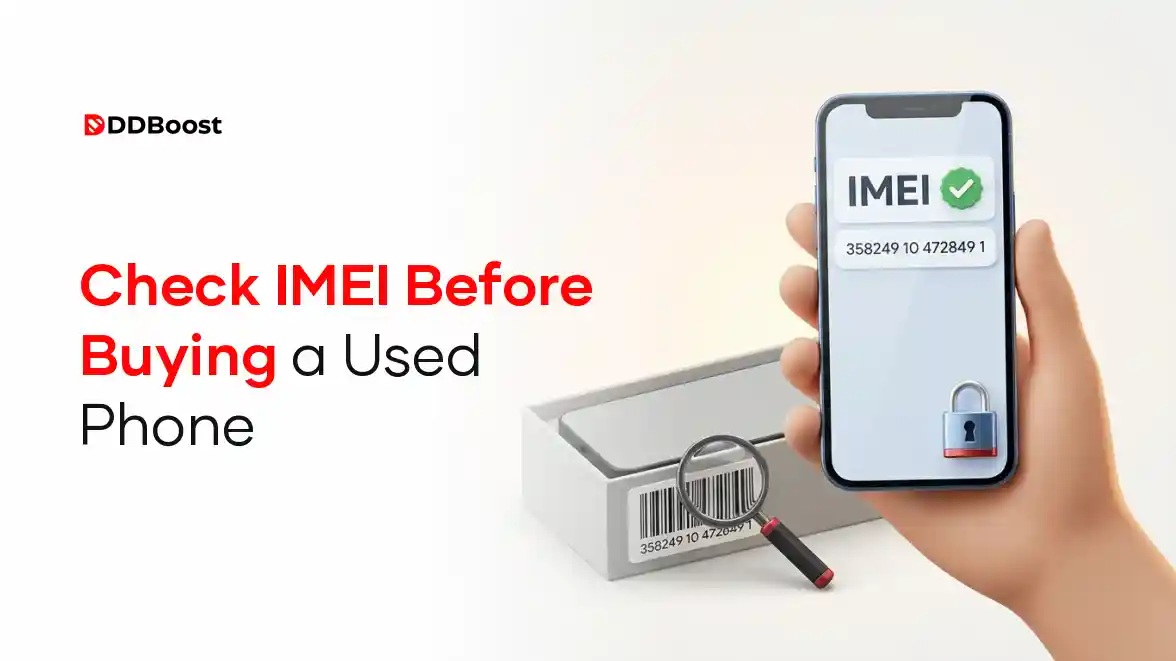
Quick answer: Before you pay for any used phone, dial *#06# on it to see its IMEI (the 15-digit serial number of the phone itself). Make sure that number matches the box and the SIM tray, then check it with the NCC by dialling *315#. Finally, confirm the old owner's Apple or Google account is fully removed, because a locked phone is close to useless.
The IMEI check is the part most buyers skip, and it is the part that saves you from buying a cloned, fake or blocked phone. This guide shows how to check IMEI before buying, what each result means, and what the check cannot tell you.
What is an IMEI, and why should a buyer care?
IMEI stands for International Mobile Equipment Identity. It is a 15-digit number given to the phone, not the SIM. Change the SIM and the IMEI stays the same.
Networks use it to recognise the device. According to the Nigerian Communications Commission (NCC), a stolen phone can be blocked across all Nigerian networks once the theft is reported and ownership is confirmed. That block follows the IMEI. So if you buy a phone that was reported stolen, it can stop working on any SIM you put in it.
A dual-SIM phone usually has two IMEI numbers. Check both.
Step 1: Get the IMEI before you even meet
Ask the seller to send the IMEI before you travel to see the phone. An honest seller can do this in one minute. If they refuse, or keep giving excuses, treat that as your answer.
With the number in hand, you can run the NCC check from your own phone at home (step 3). That means you are not doing it in a hurry, with the seller standing over you.
Step 2: Make sure the IMEI on screen matches the phone
A seller can send you a clean IMEI from another phone. So when you see the phone, confirm the number belongs to it.
- Dial *#06# on the phone. The IMEI (or two) will show on the screen. This works on almost every phone, iPhone and Android.
- Open Settings and find "About phone" (Android) or "General", then "About" (iPhone). The IMEI there should be the same.
- Compare it with the number on the box, the receipt and, on many phones, the SIM tray or the back of the phone.
- Compare it with the IMEI the seller sent you earlier.
All the numbers should match exactly. If one is different, walk away. A mismatch can mean a swapped box, a replaced board or an IMEI that someone has changed. The NCC warns that unauthorised IMEI changes are used to hide fake and stolen phones. Changing an IMEI is not something an honest seller does.
Step 3: Check the phone with the NCC using *315#
The NCC has a Device Checker that tells you if a phone has been approved and verified for use on Nigerian networks. You can use it two ways.
By USSD (any phone)
- Dial *315# from an active Nigerian SIM.
- Choose the option to check another device (the other option checks the phone you are dialling from).
- Type the 15-digit IMEI of the phone you want to buy.
- Read the reply carefully and screenshot it.
On the web
You can also enter the IMEI on the NCC Device Checker page. For help with a result you do not understand, the NCC lists 315 as its Device Checker help line and 622 for consumer complaints.
Use only the NCC's own code and website. Avoid any "IMEI checker" link sent by the seller, and ignore anyone who offers to "verify" or "unblock" a phone for a fee.
What the NCC results mean
| What you see | What it means | What to do |
|---|---|---|
| Type Approved and verified | The model is approved by the NCC and this exact device passed verification. | Good sign. Carry on with the other checks below. |
| Not yet verified | The NCC says a failed check does not always mean the phone is fake. It can be a typing error, missing import papers or a delay. | Retype the IMEI first. If it still fails, do not pay until the seller sorts it out. |
| Not compliant | Reports describe this as a device that breaks the rules, is fake or is blacklisted, and may be restricted from networks. | Do not buy it. |
If the check sends you a one-time code (OTP) at any point, never share it with the seller, a repairer or a caller. A real NCC process will not need anyone else to read it to you.
What an IMEI check will not tell you
A clean result is useful, but it is not proof that the phone is safe to buy. Keep these limits in mind.
- A recently stolen phone may still look clean. If the owner has not reported the theft yet, no database knows about it.
- It does not check the condition. The NCC says the result covers approval and verification, not the battery, the screen, swapped parts or repair history.
- It does not check account locks. A phone can pass the IMEI check and still be locked to someone else's Apple or Google account.
- Foreign "blacklist" sites have gaps. Some websites use international carrier lists. They can catch phones blocked abroad, but they miss many local reports. Treat them as one extra signal, never the final word.
So the IMEI check removes the worst phones. The steps below cover what it misses.
Step 4: Make sure the old owner's account is gone
This is the check that catches the most stolen phones in practice, because a thief usually cannot remove the owner's account.
iPhone
Apple's advice on Activation Lock is plain: do not take a used iPhone or iPad that is still protected by it. Look out for these signs:
- An "iPhone Locked to Owner" screen when you turn it on.
- A passcode Lock Screen or Home Screen still showing. Ask the seller to erase the phone in front of you.
- Setup asking for the previous owner's Apple Account. Hand it back so they can enter their password.
The phone is ready for you only when it shows the "Hello" setup screen and you can finish setup with your own Apple Account.
Android
Android has Factory Reset Protection (FRP), a lock that ties the phone to the last Google account used on it. If the owner resets the phone without removing that account, the next person gets stuck at a screen asking for the old Google login.
- Ask the seller to go to Settings, then Accounts, and remove their Google account (and Samsung account on a Samsung).
- Then ask them to factory reset the phone while you watch.
- Set it up with your own Google account before you pay.
If a seller says "just use a bypass, my guy can remove it", walk away. That is how stolen phones get passed on, and the original owner can still report the IMEI.
Red flags that should end the deal
- The price is far below what that model and condition usually go for, with a story about "urgent money".
- The seller will not share the IMEI, or the IMEI changes between chat and meeting.
- There is no box, no receipt and no believable reason why.
- The seller wants to meet somewhere dark or rushed, or pressures you to pay before testing.
- The phone keeps showing someone else's name, photos or accounts.
- They want a transfer before you have held the phone. Pay only after every check passes. And confirm any transfer you receive properly, because fake alerts are common.
Ask for a simple written receipt with the seller's name, phone number, the phone model and its IMEI. If the phone is ever questioned, that paper and your NCC screenshot help show you bought it in good faith.
If you are ever on the other side of this and your own phone goes missing, our guide on what to do in the first hour after a phone is stolen covers blocking the SIM and protecting your bank apps.
Frequently asked questions
How do I check if a phone is stolen in Nigeria?
There is no single public list of every stolen phone. Your best approach is to combine checks. Match the IMEI on screen with the box, run it on *315#, and make sure the old owner's Apple or Google account is removed. A phone that fails any of these is not worth the risk.
Is *315# only for new phones?
No. The NCC tool lets you check the phone you are using or type in the IMEI of another phone, which suits second-hand buyers. Remember that a used phone that once worked on a Nigerian network can still fail verification, so check every time.
Can someone fake an IMEI?
Yes. Some fake and stolen phones have altered IMEIs, which is why the NCC warns about unauthorised IMEI changes. That is why you match the number in three places: the screen (*#06#), Settings, and the box or tray. One mismatch is enough reason to walk away.
What if the phone shows "not yet verified"?
First retype the IMEI, because one wrong digit gives a failed result. The NCC says a failed check does not automatically mean a fake phone. Still, do not pay until the seller resolves it. You can call 315 to ask the NCC what the result means.
Can an iCloud or Google lock be removed by the buyer?
Only the real owner can remove it safely by entering their password or removing the phone from their account. Paid "bypass" services are risky and often linked to stolen phones. If the seller cannot remove the lock in front of you, do not buy the phone.