


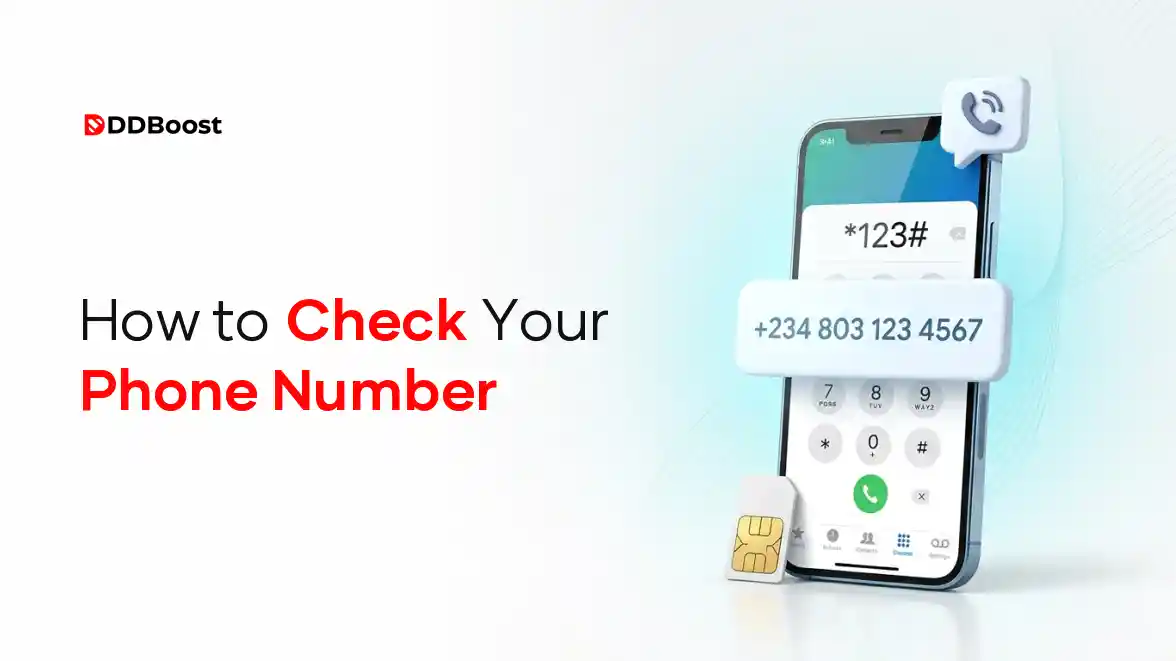
Quick answer: To check your own phone number, dial *663# on MTN, *121# on Airtel (then pick the option for your number), *135*8# on Glo or *248# on T2 (formerly 9mobile). Your number shows on the screen or comes by SMS. If a code fails, call a friend's phone or look in your phone's SIM settings.
USSD codes to check your number on each network
A USSD code is a short code that starts with * and ends with #. You dial it like a phone number and a menu or message pops up. Dial the code from the phone that holds the SIM you want to check. If you have two SIMs, your phone will ask which one to use.
| Network | Direct code | Menu route if the direct code fails |
|---|---|---|
| MTN | *663# | Dial *123# and look for an option like "My Number" or "My Tools" |
| Airtel | *121# | Choose "My Account" or "Manage your Line", then "My Number" |
| Glo | *135*8# | Dial *777# and look for "My Account" or "My Number" |
| T2 (formerly 9mobile) | *248# | Dial *200# and pick "Account Information", then "My Number" |
One honest warning. Networks rename and reshuffle these menus from time to time, so the option names above may not match your screen word for word. Read the menu and pick the line that mentions your number or your account. That is faster than searching for a new code.
How to check your MTN number
- Open your phone's dialer.
- Type *663# and press call.
- Your number appears on the screen. On some lines it also arrives as an SMS.
If nothing happens, dial *123# instead. It opens MTN's main menu, where you can find your number among the account options.
How to check your Airtel, Glo and T2 number
Airtel
Dial *121#. A menu opens. Choose the account option, then "My Number". Airtel sends your number on screen or by SMS.
Glo
Dial *135*8#. Glo shows your number on the screen. If it does not respond, try the *777# menu.
T2 (formerly 9mobile)
9mobile changed its name to T2 in August 2025, but old 9mobile SIMs still work. Dial *248# to see your number. If that fails, dial *200#, open "Account Information" and choose "My Number".
Ways to check your number without a code
These work even when a USSD code is down or your phone keeps showing "connection problem or invalid MMI code".
- Call or text someone you trust. Your number shows on their phone. This is the most reliable method, but it uses a little airtime.
- Check your phone settings. On most Android phones, go to Settings, then About phone, then SIM status. On an iPhone, open Settings and tap Phone (in newer versions, Settings, then Apps, then Phone) and look at "My Number". This field is sometimes blank or wrong, because the phone only shows what the SIM has saved.
- Look at the SIM pack. The number is printed on the card the SIM came in. This only helps if you still have it.
- Check WhatsApp or Telegram. If you signed up with this SIM, open your profile. Your number is listed there. Keep in mind that this shows the number you registered with, which may be an older line.
Why the code is not working
When a code gives an error or nothing at all, it is usually one of these:
- Wrong SIM slot. On a dual SIM phone, the code went through the other SIM. Pick the right SIM before you dial.
- No network signal. USSD needs at least one bar. Move near a window or outside and try again.
- The SIM is barred. A line that was blocked (for example, for an unlinked NIN, your National Identification Number) may not run most codes. Calling customer care will tell you why.
- The code has changed. Use the main menu code from the table, or call customer care.
Restarting the phone fixes a surprising number of USSD errors. Do that before anything else.
Calling customer care to confirm your number
If every method fails, call your network from the SIM. According to the Nigerian Communications Commission (NCC), the customer care lines are 180 for MTN, 111 for Airtel, 121 for Glo and 200 for T2. You can see the full list on the NCC consumer affairs page.
The agent will ask questions to confirm the line is yours, so have your NIN ready. If the SIM is not registered in your name, or you lost it and need a replacement, you will usually need to visit a network office with a valid ID.
Stay safe when someone asks for your number
Your number on its own is not secret. Sharing it with friends, a bank or a delivery rider is normal. The risk starts when someone asks for your number and then a code that was just sent to it. That code is an OTP (one-time password), and it can give a stranger access to your WhatsApp, bank app or email. No network staff member will ever ask you for it.
Also watch out for messages that say "dial this code to confirm your number". Some codes forward your calls to another line. Only dial codes you typed yourself from a source you trust.
If you are unsure which network a friend's number belongs to before you send them something, our guide on how to know the network of a number lists the prefixes. And if you suspect strangers are using lines in your name, see how to check numbers linked to your NIN.
Once you have your number, topping it up is simple. On DDBoost, you buy airtime and data from your wallet, and the network is picked up from the number you type, so you will not pick the wrong one by mistake.
FAQ
Can I check my number without airtime?
Yes. The USSD codes in this guide usually work with a zero balance, so you can dial them even when your airtime is finished. Checking your phone settings or SIM pack also costs nothing. Calling or texting a friend is the only method here that needs airtime.
Why does my phone show the wrong number in settings?
The phone shows whatever number is saved on the SIM card, and many SIMs never had it saved. Some phones also keep the details of an old SIM. Trust the USSD code or a call to a friend over the settings screen.
How do I check my number on a router or MiFi?
Take the SIM out and put it in a phone, then dial the code for that network. Some routers also show the number in their web page or app under SIM or device details, but many do not.
Does dialing *663# cost money on MTN?
Checking your number with a USSD code is generally free on Nigerian networks. If you notice a charge after dialing, call MTN on 180 and ask about it, as charges can change.
Is it safe to tell someone my phone number?
Sharing your number is fine with people you deal with. What you must never share is a code sent to that number, your SIM PIN or your bank PIN. Anyone who asks for those, even someone claiming to be from your network or bank, is likely a scammer.