


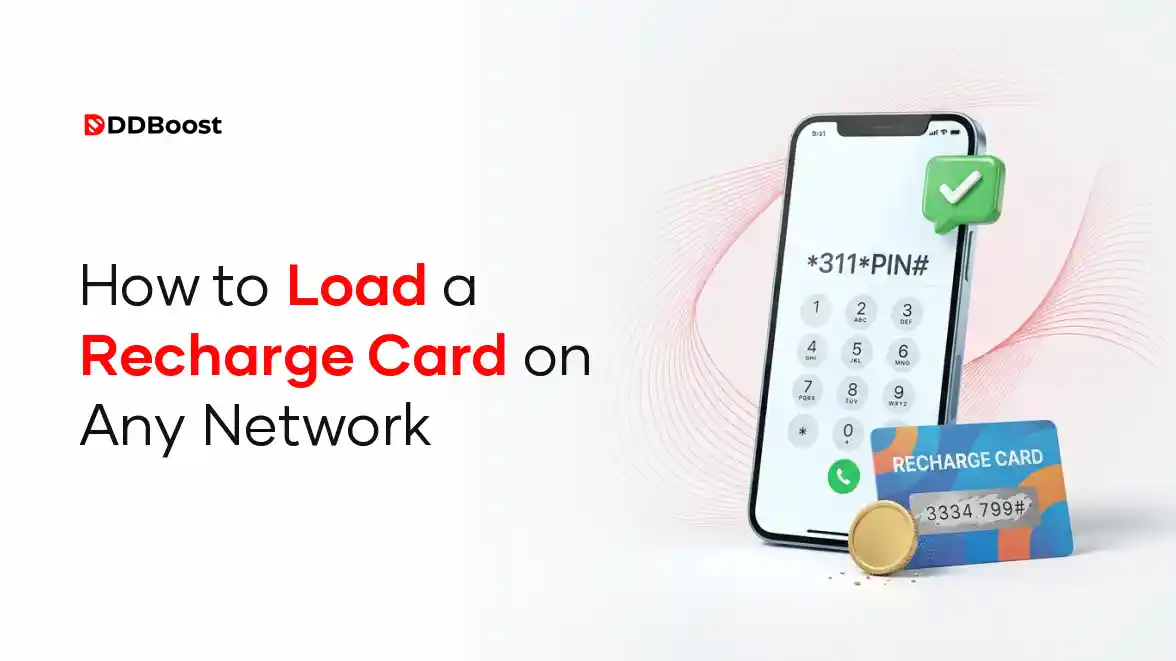
Quick answer: To load a recharge card on MTN, Airtel, Glo or T2 (formerly 9mobile), dial *311*PIN# and press call, with the PIN being the full number under the scratch panel. If *311* is rejected on your line, use your network's older code: *126*PIN# on Airtel, *123*PIN# on Glo or *222*PIN# on T2.
The one code that works on every network
In 2023 the Nigerian Communications Commission (NCC), the body that regulates phone networks, approved a set of shared short codes. Every network was told to use the same number for the same service. For loading a recharge card, that number is 311.
So the code to load a recharge card is the same no matter which SIM you use:
*311*PIN#
For example, if the PIN on your card is 1234 5678 9012 3456, you dial *311*1234567890123456# and press call. Do not type the spaces. You can see the full list of shared codes on the NCC consumer page.
How to load a recharge card step by step
- Check the card is for your network. An MTN card will not load on a Glo line, even if the code is the same.
- Scratch the silver panel gently with a coin edge, not a key. Hard scratching removes digits.
- Open your phone dialer (the screen you use to make calls), not the SMS app.
- Type *311*, then the full PIN, then #.
- If your phone has two SIMs, choose the SIM you want to credit.
- Wait for the reply on screen or by SMS. It should show the amount loaded and your new balance.
If no message comes, dial *310# to check your balance. That is the shared balance code. Our guide on checking airtime balance on each network also lists the older codes if *310# fails.
Older recharge codes for each network
The networks were meant to finish the switch to the shared codes by 17 May 2023. Reports from that time showed some networks were slower with some codes. If *311* gives an error on your line, try the old code for your network.
| Network | Shared code | Older code |
|---|---|---|
| MTN | *311*PIN# | Use *311*PIN# |
| Airtel | *311*PIN# | *126*PIN# |
| Glo | *311*PIN# | *123*PIN# |
| T2 (9mobile) | *311*PIN# | *222*PIN# |
For MTN, stick to *311*. Some older guides list *555*, but that code has been used for other services, so you may not get a plain airtime load. Read any menu that appears before you confirm.
Why your recharge card is not loading
Most failed loads come down to one wrong digit. Check these in order.
"Invalid PIN" or "Wrong format"
- A misread digit. On worn cards, 8 can look like 0 or 3, and 1 can look like 7. Hold the card under good light and type it again slowly.
- A missing or extra digit. Count the digits on the card, then count what you typed. PIN lengths differ between networks, so match the card, not a number you read online.
- Missing star or hash. The code must start with * and end with #. A space anywhere will break it.
- Wrong network. Check that the card and the SIM are from the same network, and that you picked the right SIM on a dual-SIM phone.
"PIN already used" or "Card already loaded"
This message means the network's system shows the card as spent. Before you assume you were cheated, check your balance with *310#. Sometimes the first attempt worked but the reply never arrived, and the second attempt is what gives the error.
If your balance did not go up, keep the card. Call your network's customer care on 300 (the shared helpline code) and give them the serial number printed on the card. The serial number is different from the PIN, and it lets the network trace who loaded the card and when.
Scratched off the digits
If a digit is gone, do not guess. A wrong guess wastes time and can make the problem harder to trace. Take the card back to the seller or call customer care with the serial number. Whether they can help depends on the network and the state of the card.
Can you load a card for someone else?
The shared *311* code loads the card on the phone that dials it. If the airtime is for your mum in another town, you have three simple choices:
- Send her the PIN and let her dial *311*PIN# on her own phone.
- Load it on your line, then transfer the airtime. Each network has its own transfer steps and PIN. See how it works in our guide to transferring airtime on MTN.
- Skip the card and buy airtime online straight to her number.
If you send a PIN by message, send it only to the person who will use it, and ask them to load it straight away. Anyone who sees that PIN can load it first.
Recharge card scams to watch for
A recharge card PIN is like cash. Whoever types it first gets the money. That makes it a target.
- The "read me the PIN" call. Someone calls claiming to be from your network, a promo or a bank, and asks you to read out a card PIN to "confirm" something. No network needs your card PIN. Hang up.
- Pre-scratched cards. If the panel looks scratched, re-covered or lifted at the edges, do not buy it. The PIN may already be used.
- "Too cheap" bulk cards. A seller offering cards far below face value online is a warning sign. You may get used PINs, or nothing at all after you pay.
- Photos of cards on social media. Do not post a picture of a card you have not loaded yet, even with part of it covered.
Is a recharge card still the best way to buy airtime?
A physical card still makes sense in some cases. It works with no internet, no bank app and no card. It is also handy as a small gift, or when your bank's app is down.
The downsides are real, though. You have to find a seller with your network's card in stock, you can lose or damage the PIN, and small amounts are often all that is on sale. Buying online (called VTU, short for virtual top-up) sends airtime straight to a number with no PIN to type. We compare both in detail in VTU vs recharge card.
If you top up often, or you need to send airtime to staff or family on different networks, DDBoost lets you buy airtime from a naira wallet, with the network picked up from the phone number. Bulk airtime can send to many numbers at once or be scheduled for later. You can see the airtime options in your DDBoost dashboard.
FAQ
What is the recharge code for MTN?
The MTN recharge code is *311*PIN#. Type the full PIN from the card with no spaces, then press call. This is the shared code the NCC approved for all networks, so it is the one to use first. You will get an on-screen reply or an SMS with your new balance.
Does *311* work on Airtel, Glo and T2?
Yes, *311*PIN# is the shared code for loading a card on every network. If your line rejects it, use the older code: *126*PIN# for Airtel, *123*PIN# for Glo and *222*PIN# for T2. Both styles load the same airtime to your main balance.
Why does it say my PIN is invalid?
Usually one digit is wrong or missing. Check for 8 and 0, or 1 and 7, which look alike on worn cards. Make sure the code starts with * and ends with #, has no spaces, and that the card matches your SIM's network. Then try again slowly.
What should I do if my card says "already used"?
First check your balance with *310#, because an earlier attempt may have worked. If the money is not there, keep the card and call customer care on 300. Give them the serial number printed on the card, not just the PIN, so they can trace the card.
Can I load an MTN card on a Glo line?
No. A recharge card only works on the network that issued it. An MTN card loads only on an MTN line. If you have the wrong card, give it to someone on that network or ask the seller to swap it before you scratch it.
Can I load a recharge card without network signal?
No. The code must reach your network to work, so you need at least some signal. You do not need data or an internet connection, only normal network coverage. If you see "No service", move to an open area and try again.