


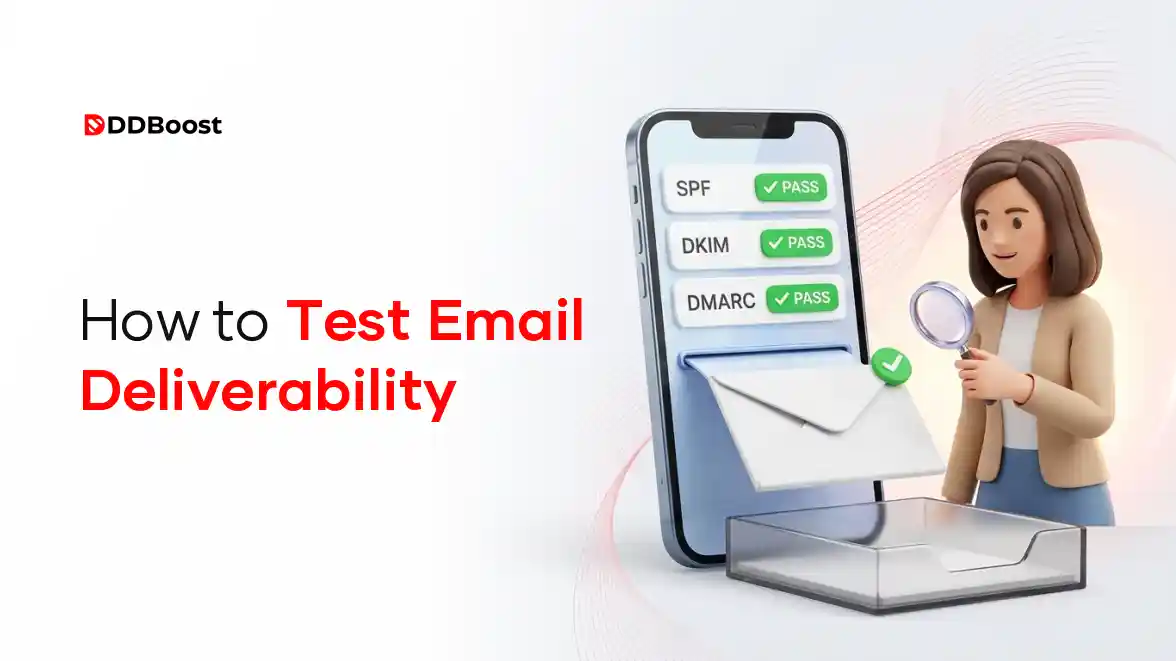
Quick answer: To test email deliverability, send your real email, from your real sending address, to a few test inboxes you control (Gmail, Yahoo, Outlook). Then check where it lands, open the message details to confirm SPF, DKIM and DMARC show "PASS", and run it through a spam checker. Fix what fails, then send to your list.
What "deliverability" really means
Delivery and deliverability are two different things. Delivery means the receiving server accepted your email. Deliverability means it reached the inbox, not the spam folder.
Your email app can say "sent" while every copy sits in spam. That is why a test that only checks "did it go out?" tells you very little. You want to know where it landed.
A deliverability test is cheap insurance. If you run a shop, a school portal or an app that sends sign-up codes, one broken setting can hide every message you send. Ten minutes of testing before a big send can save a week of "I never got your email" complaints.
Set up your test inboxes first
You need a small group of inboxes you can open yourself. People in the email business call these "seed" inboxes. Aim for at least one on each of these:
- Gmail, because most Nigerian customers use it.
- Outlook or Hotmail (Microsoft), which filters differently from Gmail.
- Yahoo, still common with older customers and some businesses.
- If you sell to companies, a work address on a company domain.
Use fresh inboxes that have never received mail from you. Your personal inbox is a poor test. If you have opened and replied to your own business emails before, Gmail has already learned to trust you, so the result looks better than what a new customer sees.
Also, do not use the Gmail plus address trick to make many test inboxes from one account. They all share one mailbox and one history, so they count as a single test.
How to test email deliverability step by step
- Write the final version. Test the exact email you plan to send: same subject, same links, same images, same sender name. A changed subject line can change the result.
- Send it the normal way. Use the same tool and the same "From" address you will use for the real send. Testing from a different account proves nothing.
- Wait a few minutes, then open each test inbox. Write down where the email landed: inbox, a tab such as Promotions, or spam.
- Check the authentication results (next section). This tells you whether the receiving server believes you are who you say you are.
- Run a spam checker. Tools such as Mail-tester give you a special address. You send your email to it and get a report listing what looks suspicious.
- Click every link and the unsubscribe link in the test copy. Broken or redirecting links hurt trust and annoy readers.
- Fix, then test again with fresh inboxes. One clean result is good. Two in a row is better.
Landing in the Promotions tab is not a failure. It is still the inbox, and customers who expect your mail will find it there. Spam is the real problem.
Check SPF, DKIM and DMARC in two minutes
These three are records on your domain (the part after the @ in your address) that prove an email really came from you:
- SPF (Sender Policy Framework) lists the servers allowed to send mail for your domain.
- DKIM (DomainKeys Identified Mail) adds a hidden digital signature that shows the message was not changed on the way.
- DMARC (Domain-based Message Authentication, Reporting and Conformance) tells inboxes what to do when SPF or DKIM fails.
You can see if they pass without any special tool. In Gmail on a computer, open your test email, tap the three dots beside Reply, and choose Show original, as described in Google's help page. Near the top you will see SPF, DKIM and DMARC, each marked PASS or FAIL.
If any shows FAIL or is missing, fix that before anything else. No subject line trick will save an email that fails authentication.
What Gmail asks of senders
According to Google's email sender guidelines, everyone sending to Gmail should set up SPF or DKIM and keep their spam complaint rate below 0.3%. Anyone sending about 5,000 or more messages a day to Gmail needs SPF, DKIM and DMARC, plus a one-click unsubscribe on marketing mail.
A small business sending 300 newsletters a week is far below that line. Set up all three anyway. It costs nothing but a little time, and it removes the most common reason good mail lands in spam.
How to read your results
| What you see | What it likely means | What to do |
|---|---|---|
| Inbox everywhere, all PASS | Your setup is healthy | Send, and keep watching replies and bounces |
| Spam everywhere, FAIL on SPF or DKIM | Your domain records are wrong or missing | Fix the records with your domain or email provider, then retest |
| Spam in one provider only, all PASS | That provider dislikes your content or sender history | Simplify the email, cut extra links, retest on that provider |
| Never arrives at all | The server rejected it | Look for a bounce message in your sending account and read the reason |
| Spam checker flags "shortened links" | Link shorteners are often used by scammers | Use your full website links instead |
Content mistakes that push email into spam
Once authentication passes, the email itself matters. These are the most common mistakes small senders make:
- One big image and no text. Filters cannot read images, so a flyer pasted as a picture looks like it is hiding something. Put the main message in plain text.
- Pressure words in the subject. "URGENT", "WIN NOW" and many capital letters look like the scam mail filters are trained to catch.
- Too many links. A short email with twelve links looks like spam. Keep it to the links a reader really needs.
- No way to leave. If people cannot unsubscribe, they press "Report spam" instead, and that hurts every future send.
- Old, bought or scraped lists. Addresses that no longer exist cause bounces. Never buy an email list. It is the fastest way to ruin your sender reputation.
Our post on why emails go to spam covers each fix in more detail.
When a free Gmail address is the problem
Many Nigerian small businesses send customer mail from a free address like yourshop@gmail.com. That is fine for replying to customers one by one. It is a poor choice for newsletters or order updates sent to hundreds of people.
The reason is simple. You cannot add your own SPF, DKIM or DMARC records to gmail.com, because you do not own that domain. When you send bulk mail through another tool while showing a Gmail address, it often fails authentication. If email matters to your business, get your own domain (for example yourshop.com.ng) and send from it.
Where to get clean test inboxes
The hard part of testing is having enough fresh inboxes that have never seen your mail. Creating a new Gmail account each time takes a phone number and time, and reusing old ones gives you softer results.
DDBoost sells email accounts for exactly this kind of job: short-term inboxes that receive a code, and longer-term email accounts with an email and password that last up to 6 months, including for software email deliverability testing. If you test often, you can get test inboxes from the DDBoost dashboard and pay from your naira wallet. If you want to know which type suits you, our guide to temporary vs permanent email explains the difference.
FAQ
How often should I test email deliverability?
Test before any large send, and again whenever you change something: a new email tool, new domain, new sender address or a very different design. A single test only shows one moment. If you send weekly, a quick monthly check with fresh inboxes is a sensible habit.
Is landing in the Gmail Promotions tab bad?
No. The Promotions tab is part of the inbox, not spam. Customers who signed up to hear from you can still find your email there. Spam is the folder to worry about. Write like a person, not a flyer, and personal-style messages are more likely to land in the main tab.
Can I test deliverability for free?
Yes. Sending to your own test inboxes and reading "Show original" in Gmail costs nothing. Some spam checkers also offer a limited number of free tests. Paid tools add bigger groups of test inboxes and reports, which mostly matter if you send large volumes.
Why does my email pass in Gmail but go to spam in Outlook?
Each provider uses its own filters and its own view of your sending history. Outlook may react to something Gmail ignores, such as a link domain or the email layout. Simplify the email, remove extra links and images, then test again on Outlook alone.
What spam rate does Gmail allow?
Google's sender guidelines say to keep your spam complaint rate below 0.3%. In simple terms, fewer than 3 people in every 1,000 should press "Report spam". Bulk senders can track this in Google Postmaster Tools after they verify their domain.