


Quick answer: Public Wi-Fi is usually safe for everyday browsing, because most websites and apps now scramble (encrypt) what you send. The real dangers are fake hotspots, sign-in pages that ask for too much, and a phone that joins open networks on its own. For banking, payments or logging in, use your mobile data or a trusted VPN.
Is public Wi-Fi safe to use?
Years ago, many websites sent your details as plain text, so anyone on the same network with the right tool could read them.
That has changed. Most sites now use HTTPS, which means the connection between your phone and the website is encrypted. Encrypted means scrambled, so a stranger on the same network sees noise, not your password. The US Federal Trade Commission (FTC) now says that, because encryption is so widespread, connecting through public Wi-Fi is usually safe.
So the hotel lobby, the airport lounge, the campus network and the eatery hotspot are not automatic traps. But "usually safe" is not "always safe". The risk has moved from people reading your traffic to people tricking you.
What can actually go wrong on public Wi-Fi
A fake hotspot with a real-looking name
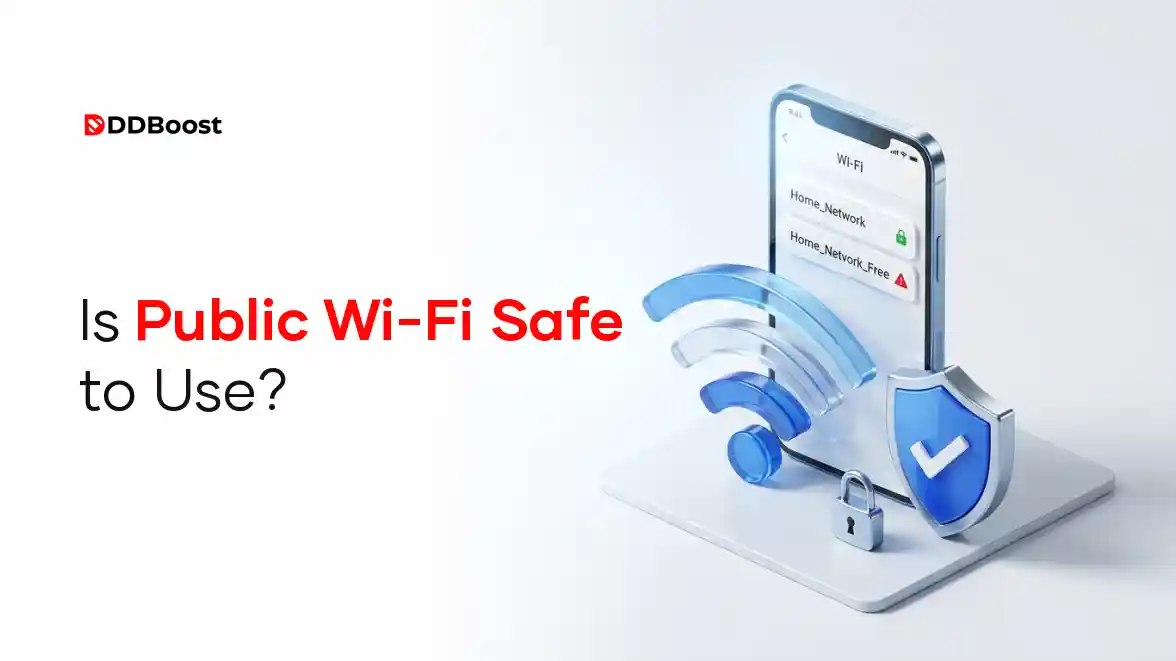
This is often called an "evil twin". Someone sets up a network named like the real one, for example "Hotel_Guest_Free" next to the real "Hotel Guest". You join the fake one, and now all your traffic passes through their device first.
Encryption still protects most of what you send. The danger is what they show you: a fake login page, a fake "update your app" pop-up, or a link that leads to a copy of your bank's website.
A sign-in page that asks for too much
Many public networks open a page before you can browse. This is called a captive portal. A real one may ask you to accept terms, type a room number or enter a voucher code.
Be careful when it asks for your BVN, your card details, your email password or a code sent to your phone. No Wi-Fi network needs those. Close it and use your data instead.
Your phone joining networks without asking
Phones remember networks. If you once joined "Free WiFi" at a mall, your phone may join any network with that same name later, anywhere. That is exactly the gap a fake hotspot uses.
Sites and apps that are not encrypted
Most big apps encrypt their data, but you cannot see a padlock inside an app. A small number of older websites and apps still send data without protection. On a shared network, that data can be read.
What is safe to do on public Wi-Fi (and what to save for later)
| Activity | On public Wi-Fi? | Why |
|---|---|---|
| Reading news, watching YouTube, browsing | Fine | No password or money involved |
| Downloading big app updates or school materials | Fine | Saves your data bundle; get apps only from Play Store or App Store |
| Chatting on WhatsApp or Telegram | Fine | These apps encrypt messages |
| Logging in to email or social media | Careful | Only if the address shows HTTPS and the network is the real one |
| Bank app, transfers, card payments | Use mobile data or a VPN | One mistake here costs real money |
| Typing your BVN, NIN or card number | Avoid | Not worth the risk on a network you do not control |
My rule is simple. If losing it would hurt, do it on your own mobile data. A small data top-up (say ₦500, as an example) costs far less than a drained account.
How to check you joined the right network
- Ask staff for the exact name. Ask how it is spelt and whether it has a password. Two networks with almost the same name is a warning sign.
- Prefer networks with a password. The FTC notes that a hotspot is secure only if it asks for a WPA password. WPA is the standard lock used on Wi-Fi. A password shared on the wall of a café is not private, but it still beats a fully open network.
- Look at the sign-in page. If it asks for anything beyond terms, a room number or a voucher, leave.
- Check for the padlock. In your browser, the address should start with https and show a padlock. If your browser warns that a site is "not secure", stop there.
- Watch for sudden disconnects. If the Wi-Fi drops and a new network with a similar name appears, be suspicious. Rejoin only the name the staff gave you.
Settings to change on your phone before you go out
Turn off auto-join for open networks
On iPhone, go to Settings, then Wi-Fi, tap the small "i" beside a saved network and switch off Auto-Join. On Android, open Settings, then Network and internet (the name differs by brand), tap the saved network and turn off auto-connect. Better still, tap "Forget" on old public networks you no longer use.
Turn off file sharing
Switch off AirDrop for everyone on iPhone (set it to Contacts Only or Receiving Off). On Android, turn off Nearby Share or Quick Share visibility, and turn off any file sharing on your laptop.
Keep updates and two-step login on
Updates close security holes, so install them, ideally on Wi-Fi to save data. Turn on two-step login for your email and social accounts. Then a stolen password alone is not enough to get in. If you use WhatsApp, our guide to WhatsApp two-step verification shows how.
Does a VPN make public Wi-Fi safe?
A VPN (virtual private network) is a tool that puts your traffic inside an encrypted tunnel to a server run by the VPN company. People on the same Wi-Fi, including whoever runs a fake hotspot, cannot see which sites you visit or change what you receive.
It helps most when you use public Wi-Fi often: students on hostel or campus networks, people who work from hotels, or anyone who travels a lot. It does not protect you from typing your password into a fake website, from a bad link in a message, or from malware you install yourself.
Who runs the VPN matters, because they can see what the Wi-Fi owner no longer can. Free VPNs often pay their bills with your data or ads. We compare the two in free VPN vs paid VPN, and our guide on how to use a VPN on Android and iPhone walks through the setup.
If you only join public Wi-Fi once in a while, you may not need a VPN at all. Mobile data plus the habits above will do.
Mobile data or public Wi-Fi: which should you use?
For anything involving money or passwords, mobile data is the safer choice. Your phone's connection to MTN, Airtel, Glo or 9mobile is encrypted, and no stranger in the room controls it.
Public Wi-Fi wins for big downloads, video and long hours of browsing, where it saves your bundle. A sensible split: Wi-Fi for heavy, low-risk use, mobile data for the bank app and logins.
If you want a paid VPN for those times you must use hotel or campus Wi-Fi, you can buy a VPN plan from the DDBoost dashboard on our services page.
Frequently asked questions
Can someone hack my phone just because I joined public Wi-Fi?
Unlikely, if your phone is updated and you do not install anything. Simply joining a network does not hand over your phone. The bigger risks are fake login pages, harmful downloads and pop-ups that trick you into giving details. Keep your phone updated and ignore unexpected "install this" messages.
Is it safe to use my bank app on public Wi-Fi?
Bank apps encrypt their data, so it is usually safe on a genuine network. The problem is you cannot always be sure the network is genuine. Since the cost of a mistake is high, switch to mobile data for transfers and payments. It takes two seconds.
Is hotel or airport Wi-Fi safer than café Wi-Fi?
Not by default. Any busy place can attract fake hotspots, and a password shared with every guest is not private. What matters is joining the exact network the staff name, checking for HTTPS and keeping money tasks on mobile data.
Can the Wi-Fi owner see what I do?
They can usually see which websites you visit, but not what you type on HTTPS pages. They cannot read your WhatsApp messages. A VPN hides the sites you visit from the Wi-Fi owner, though the VPN company can then see them instead.
What should I do if I think I used a fake hotspot?
Disconnect and forget the network. Then, on mobile data, change the passwords of any accounts you logged in to and turn on two-step login. If you entered card or bank details, call your bank at once and ask them to block the card.