


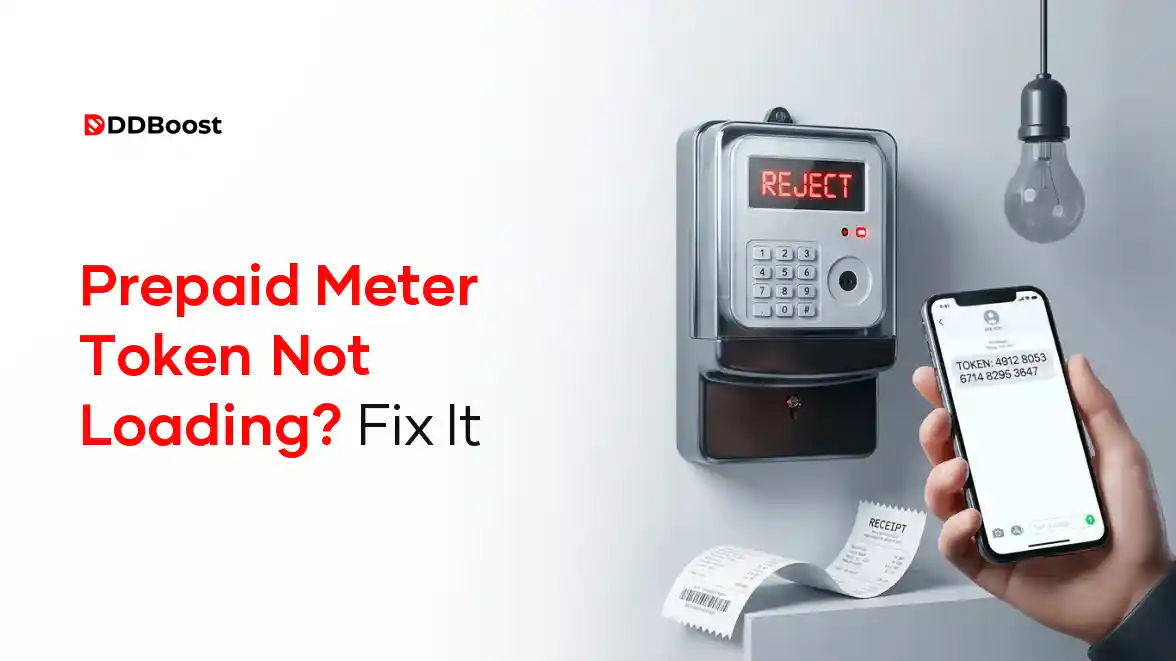
Quick answer: When a prepaid meter token is not loading, the cause is usually one of four things: a typo in the 20 digits, a token bought for the wrong meter number, a token that was already used, or a meter that needs a key change token first. Check them in that order. If all four are fine, the fault is with the meter or the vendor, and you need your electricity company (DisCo).
The meter will not tell you much. It flashes "Reject", "Error" or a short code and leaves you in the dark. The good news is that you can sort out most cases at home in about ten minutes, without paying anyone.
First, read what the meter shows
The screen message is your best clue. Each meter brand (MOJEC, Conlog, Hexing and others) uses its own words and codes, so check the small manual or the sticker on the meter if you still have it. In general, the messages fall into three groups:
- The meter says the token is wrong or rejected. Usually a typing mistake or a token meant for another meter.
- The meter says the token was used before. That exact token has already been loaded, either on this meter or by someone else.
- The meter shows nothing, freezes or shows a memory or tamper message. This points to a problem inside the meter. Only your DisCo can fix it.
Write the message down or take a photo. You will need it if you end up calling customer care.
Check the 20 digits again
A normal recharge token is 20 digits long. One wrong digit and the meter rejects the whole thing. This is the most common reason a token will not load.
- Open the token again from the SMS, email or receipt. Do not type it from memory.
- Split it into groups of four and say each group out loud as you press the keys.
- Watch the screen after each key. Some keypads are worn and skip presses, especially 0 and 8.
- Press the Enter key only once at the end.
- If the keypad is on a separate unit inside the house (a CIU, or customer interface unit), make sure it is close to the meter and has battery or power.
If you mistype, most meters let you clear and start again.
Make sure the token is for your meter number
Every token is made for one meter only. A token bought for meter 0123 4567 890 will never load on 0123 4567 891, even if the amount and the DisCo are correct.
Compare the meter number on your receipt with the number printed on the meter itself. This mistake happens a lot when a family has two meters, when you pay for a neighbour, or when the number was saved wrongly in a payment app months ago. Also check that you picked the right DisCo and the right meter type (prepaid, not postpaid) when you paid.
If the number is wrong, the token is useless on your meter. Contact the platform you paid through with the receipt. Whether you can get a refund depends on whether the token has been loaded on the other meter, so act quickly.
Is it a "used token" message?
A token can be used once. If the meter says it was already used, think about who else had it. A relative may have loaded it, or you loaded it earlier and the units simply did not show because the screen was on a different page.
Scroll through the meter's screens to find the credit balance. Your meter manual shows which key brings up the units left. If the units went up, the token worked.
If no one loaded it and the balance did not change, take the receipt to your DisCo. They can see on their system when and where a token was loaded.
Does your meter need a key change token?
A key change token (KCT) is a special code that updates the settings inside your meter. It does not add units. You get one when your tariff band changes, when the DisCo changes the meter's settings, or during a planned update.
Nigerian prepaid meters use a global system called STS (Standard Transfer Specification). In 2024, every STS meter in the world had to be updated before a fixed date, a process called the TID rollover. The Nigerian Electricity Regulatory Commission (NERC) told DisCos to give customers free key change tokens for it, and said meters that were not updated would stop accepting new tokens. You can read how the rollover worked on the STS Association website.
So if your meter rejects every new token, including fresh ones bought from different places, it may never have been updated. Here is what to do:
- Call your DisCo or visit its office with your meter number and ask whether your meter needs a key change token.
- Key change tokens usually come as two 20-digit codes, called KCT 1 and KCT 2.
- Load KCT 1 first and press Enter. Then load KCT 2 and press Enter.
- Now load your normal recharge token.
Order matters. Loading the recharge token before the key change tokens is a common reason people think the whole process failed.
When the problem is the meter or the vendor
If the digits are right, the meter number is right and no key change is needed, the problem is outside your control. These are the usual cases:
| What you see | Likely cause | What to do |
|---|---|---|
| Money left your account but no token came | The payment went through but the vendor did not get a token from the DisCo | Wait a little, check your email and SMS, then contact the platform with the transaction reference |
| Token loads but no light comes on | No supply from the grid, or the meter is cut off for another reason | Ask neighbours if they have light. If they do, call your DisCo |
| Screen blank or keypad dead | Meter or keypad unit is faulty | Report to your DisCo. Do not open the meter |
| Every token rejected, even after a KCT | Meter fault or wrong data on the DisCo's system | Ask your DisCo to check your meter record |
When you contact your DisCo, have these ready: your meter number, a photo of the error, the token, the receipt with the date and amount, and your account name. This turns a long back and forth into one call.
Watch out for fake "meter update" agents
Scammers follow every change in the electricity sector. During the 2024 meter update, Nigerian newspapers warned about people calling or visiting homes to "upgrade" meters for a fee. NERC said the key change tokens for that update were free.
Some simple rules:
- Get key change tokens only from your DisCo's official office, website or customer care line.
- Never pay a stranger who says your meter must be "reset" for a fee.
- Do not let anyone open or bypass your meter. Tampering with a meter can get you disconnected.
- Never share your bank card details with someone who calls you about your meter.
How to avoid token problems next time
Save your meter number once, correctly, in whatever app you use, and label it with the address. Keep your receipts until the units show on the meter. If you pay for someone else's light, ask them to send a photo of the meter number instead of reading it to you over a call.
If you want to buy electricity tokens and keep a record of every payment in one place, you can pay your electricity bill from your wallet on DDBoost. Each purchase has a history and a receipt, which is exactly what your DisCo will ask for if a token ever fails.
Prepaid meter token questions people ask
Why does my meter say "Reject" when I load a token?
It usually means one digit is wrong or the token is for a different meter. Open the token from the original message and type it again slowly. Then compare the meter number on the receipt with the one printed on your meter. If both are correct, ask your DisCo whether you need a key change token.
Can I use a token on another meter?
No. Every token is made for one meter number and will not load anywhere else. If you bought it for the wrong number, contact the platform you paid through straight away with the receipt. Whether you get help depends on their rules and on whether the token has already been loaded.
Is a key change token free?
For the 2024 STS meter update, NERC said DisCos should give the key change tokens free. For other cases, such as a tariff change, ask your DisCo directly. Be careful with anyone outside the DisCo who asks you to pay for one.
How long does it take to get a token after paying?
Most of the time the token comes within minutes, by SMS, email or on the screen of the app. Sometimes the DisCo's system is slow and it takes longer. If it has not arrived after a while, check your email and spam folder, then contact the platform with your transaction reference.
What if my meter shows "used" but my units did not go up?
First check the credit balance screen on the meter, because the units may have loaded quietly. If they did not, ask anyone else who had the token. If no one used it, take the token and receipt to your DisCo. Their records show when and where it was loaded.