


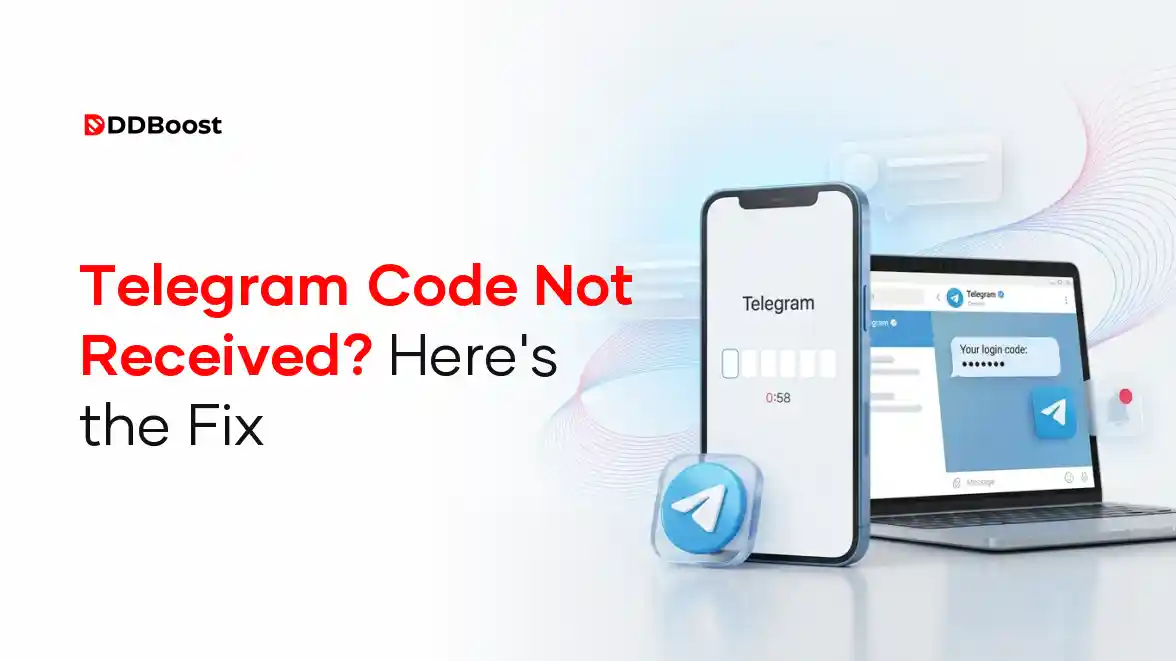
Quick answer: If your Telegram code is not received by SMS, first check your other phone, laptop or tablet where you are still logged in. Telegram often sends the code there, to a chat called "Telegram", and not by SMS. If you have no other device, check the number format (+234 without the first 0), wait for the timer, then ask for a phone call or use your login email.
Where Telegram sends your code first
Most people expect an SMS. Telegram does not always send one.
According to the Telegram FAQ, if you recently used Telegram on another device, the code may be sent through Telegram instead of SMS. It lands in a chat named "Telegram" (with a blue tick) on any device where you are still logged in.
So before you do anything else, check:
- Your old phone, if you just switched phones.
- Telegram Desktop on your laptop or office computer.
- Telegram Web in a browser you used before.
- A tablet or a second phone.
The screen where you enter the code usually tells you where it went. Read it slowly. If it says the code was sent "to the Telegram app on your other device", no SMS is coming until you tap the option to get it another way.
Check the phone number format
This is the most common mistake, and it takes ten seconds to fix.
Telegram needs your number in international format. For a Nigerian line, that means the country code +234, then your number without the first 0.
| How you write it locally | How Telegram needs it |
|---|---|
| 0803 123 4567 (example) | +234 803 123 4567 |
| 0901 234 5678 (example) | +234 901 234 5678 |
If you type +234 0803..., the code goes nowhere. Also make sure you picked Nigeria in the country list and not another country with a similar code.
Ask for a phone call or use your login email
When the countdown timer on the code screen ends, Telegram may offer other ways to get the code. These can include:
- A phone call: a recorded voice reads the code to you.
- A missed call or flash call: a short call where the last digits of the calling number are your code.
- Your login email: if you set one up before, the code goes to that inbox.
The Telegram FAQ says codes by phone call may not be available on some networks. If the call option does not appear, that is why, and it is not something you can switch on yourself.
For the email option, check your spam and promotions folders. Our guide on fixing a verification email that never arrives covers the inbox side in more detail.
Make sure your SIM can receive SMS
Sometimes Telegram sends the SMS and your line simply cannot receive it. Test this before you blame Telegram.
- Ask a friend to send you a normal text message. If it does not arrive, the problem is your line.
- Check that the SIM is in the phone you are holding and has network bars. A dual-SIM phone can confuse you here.
- Turn on airplane mode for 30 seconds, then turn it off. This makes the phone reconnect to the network.
- Delete old messages if your phone says the inbox is full. Older phones stop receiving texts when storage is full.
- If your line has been restricted by your network (for example, over NIN linking), sort that out with MTN, Airtel, Glo or 9mobile first. No app fix will help a barred line.
If a friend's text arrives but Telegram's does not, move to the next sections.
Turn off your VPN and update the app
A VPN (a tool that hides your internet address by routing traffic through another country) can make your login look like it comes from somewhere else. That can slow down or confuse the login. Turn it off while you log in, then turn it back on after.
Also update Telegram from the Play Store or App Store. Old versions sometimes do not show the newer options, like login by email. If you are on a weak network, switch between Wi-Fi and mobile data and try once more.
Seeing "too many attempts"? Stop and wait
If you keep tapping "resend", Telegram may block new codes for a while. You will see a message about too many attempts or being asked to wait.
This is a safety limit, not a ban. The worst thing you can do is keep trying, because every new request can push the wait further. Telegram does not publish a fixed waiting time, so do this:
- Close the app and leave it alone for several hours. Overnight is safest.
- Do not reinstall the app or switch phones during the wait.
- Come back and make one careful attempt, with the number typed correctly.
When to contact Telegram support
Contact Telegram if you have tried everything above, your line receives other SMS, and the code still never comes. Also contact them if you see a message saying your number is banned. Retrying will not fix a ban.
Use the official Telegram support form. Give your number in international format (+234...), the exact error message, and when the problem started. Do not send your code or password to anyone, including people who claim to be Telegram staff on social media.
That last point matters. Scammers love a person who is stuck at the login screen. If someone messages you offering to "help open" your account and asks for the code you receive, it is a trap. Our post on how OTP scams work in Nigeria explains the common tricks.
How to avoid this problem next time
Once you are back in, spend two minutes on these settings so a missing code does not lock you out again.
- Set a login email. If Telegram asks you to add one, do it. It gives you a second way to get codes.
- Turn on two-step verification. Go to Settings, then Privacy and Security, then Two-Step Verification. You set a password that is needed along with the code. Add a recovery email too. The Telegram FAQ explains each option.
- Add a passkey if your app offers it. A passkey lets you log in with your phone's PIN, fingerprint or face scan, with no SMS code.
- Stay logged in on a second device. Telegram Desktop on a laptop means you always have somewhere to receive the code.
- Change your number inside Telegram before you drop an old SIM. The Telegram FAQ warns that relying on codes through the app is not a replacement for keeping your number up to date. You can lose the account for good.
FAQ
Why is Telegram not sending my code by SMS?
Telegram usually sends the code to your other logged-in devices first, inside a chat named "Telegram". It only sends SMS when you have no active session or when you ask for it after the timer ends. A wrong number format or a line that cannot receive texts can also stop the SMS.
How long should I wait after "too many attempts"?
Telegram does not publish an exact time, and it can vary. Wait at least several hours, and overnight if you can. Do not keep requesting codes during the wait, because repeated tries can make the block longer. Then make one careful attempt with the correct number.
Can I log in to Telegram without my old SIM?
Only if you are still logged in on another device, or if you set up a login email or passkey before. If you are logged in somewhere, change your number from Settings right away. If you are logged out everywhere and have no other option, contact Telegram support.
I got the code but Telegram is asking for a password. What is it?
That is your two-step verification password, which you (or someone else) set earlier. It is different from the code. If you forgot it, tap "Forgot password" to get a reset link at your recovery email. If you never set one, someone may have accessed your account, so contact support.
Is it safe to share my Telegram code with someone helping me?
No. Never share your login code with anyone, not even a friend or someone claiming to work for Telegram. Anyone with the code can log in to your account and read your chats. Telegram staff will never ask you for it.