


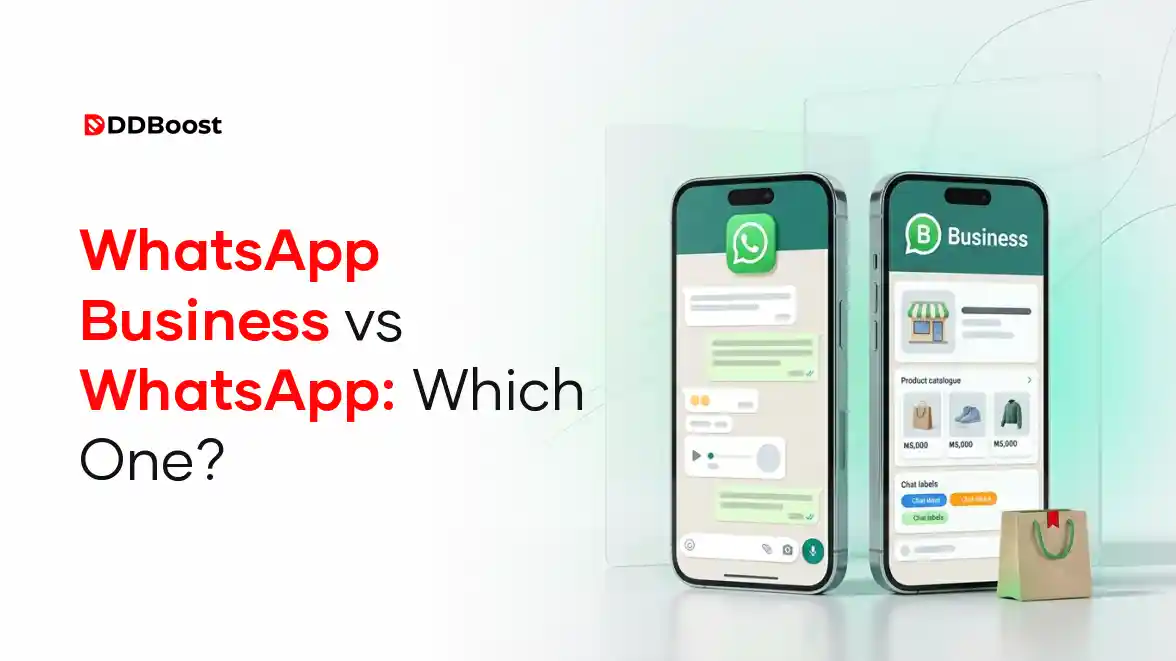
Quick answer: If you sell anything on WhatsApp, use WhatsApp Business. It is free, works almost exactly like normal WhatsApp, and adds a shop profile, a product catalogue, automatic replies and labels for sorting chats. Keep normal WhatsApp for family and friends, and give your business its own number.
What is the difference between WhatsApp and WhatsApp Business?
They are two separate apps made by the same company, Meta. Chatting, calls, voice notes, groups and Status work the same way in both. The real difference in the WhatsApp Business vs WhatsApp question is what sits around the chats.
Normal WhatsApp (also called WhatsApp Messenger) is built for people. Your profile is a photo, a name and a short "About" line. Every reply is typed by you, one at a time.
WhatsApp Business is built for small sellers who answer customers themselves or with one or two helpers. It adds tools that save typing and make you look like a proper shop. Both apps are free to download and use, and both run on your normal data or Wi-Fi.
WhatsApp Business vs WhatsApp side by side
| Feature | WhatsApp Business | |
|---|---|---|
| Cost of the app | Free | Free |
| Profile | Photo, name, About | Logo, business description, address, opening hours, website |
| Product catalogue | No | Yes, with prices and photos |
| Greeting message for new customers | No | Yes, sent automatically |
| Away message after hours | No | Yes, sent automatically |
| Quick replies (saved answers) | No | Yes |
| Labels to sort chats | No | Yes, for example "New order" or "Paid" |
| Short link and QR code to start a chat | Basic share link | Yes, from Business tools |
| Best for | Personal chats | A one-person shop or small team |
The feature list above follows Meta's own WhatsApp Business features page. Menus can move between updates, so if you cannot find something, look under Settings and then Business tools.
What the business tools actually do for a seller
Catalogue
A catalogue is a small shop window inside WhatsApp. You add each product with a photo, a price in naira and a short description. When a customer asks "what do you have?", you send the catalogue instead of 20 separate photos. That saves your data and theirs.
Greeting and away messages
A greeting message is sent by itself when someone chats you for the first time. You can use it to share your price list, delivery areas and payment details. An away message replies when you are closed, so a customer who writes at 11pm knows you will answer in the morning.
Quick replies
Quick replies are saved answers you send with a shortcut. Type "/" in the chat box and pick the one you need, such as "/account" for your bank details or "/delivery" for your delivery fees. If you answer the same five questions every day, this alone is worth the switch.
Labels
Labels are coloured tags for chats. A food seller might use "New order", "Paid", "Out for delivery" and "Done". On a busy Friday you can open "Paid" and see exactly who is waiting, instead of scrolling through 80 chats.
When normal WhatsApp is still the better choice
WhatsApp Business is not for everyone. Stay with the normal app if any of these fit you:
- You only sell now and then, for example to friends at work, and you do not want strangers to see a business profile.
- You do not want customers to see your opening hours, address or extra details about you.
- You only have one SIM and do not want to mix your personal chats with buyers.
Also, WhatsApp Business is meant for a small team. It works on one phone number. A company with many staff answering thousands of chats usually needs the separate WhatsApp Business Platform (sometimes called the API), which is a paid service set up through Meta or a partner company. Most market sellers, freelancers and small shops never need that.
Which phone number should you use for WhatsApp Business?
This is the decision people rush, and it is the one that hurts later. Customers save your number, print it on flyers and share it with friends. Changing it means losing some of them.
What we would do:
- Get a separate SIM for the business. A cheap second SIM on MTN, Airtel, Glo or T2 (formerly 9mobile) is enough. Most phones sold in Nigeria are dual SIM, so one phone can hold both lines.
- Register it in your own name. Make sure the SIM is linked to your NIN (National Identification Number). An unregistered line can be barred, and then your business number goes with it.
- Keep it active. Load small airtime on it now and then so the network does not recycle a line you rarely use.
Do not use a temporary virtual number (a short-term online number used to receive one sign-up code) for your main business WhatsApp. You need that number again whenever you reinstall the app, change phones or reset your account, and a temporary number will not be there. We explain this risk in more detail in our guide on using a virtual number for WhatsApp long term.
Can you use both apps on one phone?
Yes, but each app needs its own number. One number can be active on only one of the two apps at a time. With a dual SIM phone, put your personal line on WhatsApp and your business line on WhatsApp Business. Both apps sit side by side with different icons (the Business one has a "B").
The common mistake is replying to a customer from your personal WhatsApp by accident. Give the two apps different profile photos so you can tell them apart at a glance.
How to switch your current number to WhatsApp Business
If customers already know your personal number, you can move that same number to WhatsApp Business and keep your chats. Do it in this order:
- Open normal WhatsApp and go to Settings, then Chats, then Chat backup. Back up now. WhatsApp itself warns that skipping this can lose your chat history.
- Download WhatsApp Business from the Play Store or App Store. Check that the seller is WhatsApp LLC.
- Open it and agree to the terms. It will spot the number you already use on WhatsApp and offer to move it.
- Allow it to bring over your chat history and media, then enter the six-digit code sent to your number.
- Fill in your business name, category, description, hours and address. Use your real business name, not a slogan.
- Go to Business tools and set up your greeting message, away message and three or four quick replies first. Add the catalogue when you have good photos.
After the move, that number stops working on normal WhatsApp. Then turn on two-step verification (a six-digit PIN that stops anyone who steals your code from taking over the account). Our guide to WhatsApp two-step verification shows the steps. A business account is a bigger target for scammers than a personal one, so do not skip this.
Safety tips for selling on WhatsApp in Nigeria
- Never share your WhatsApp code. A "customer" who says they sent you a code by mistake is trying to steal your account.
- Confirm payment in your bank app, not from a screenshot. Fake transfer screenshots and fake alerts are common. Release goods only when the money shows in your actual account.
- Watch for fake support messages. WhatsApp will not chat you to ask for your PIN or code.
- Be careful with "verified badge" offers. Meta Verified is Meta's own paid badge, applied for inside the app. Anyone selling you a tick through a DM is a scam.
Frequently asked questions
Is WhatsApp Business free?
Yes. The WhatsApp Business app is free to download and use, just like normal WhatsApp. You only spend the data you use. The paid options are separate: Meta Verified for a badge, and the WhatsApp Business Platform for large companies. A small seller does not need either to start.
Will I lose my chats if I switch to WhatsApp Business?
Not if you back up first. Make a fresh chat backup in normal WhatsApp, then let WhatsApp Business move your number and history when it asks. If you skip the backup or deny the transfer, you can lose your old messages.
Can I go back from WhatsApp Business to normal WhatsApp?
Yes, you can register the same number on normal WhatsApp again. Back up your chats first. Your business profile, catalogue, labels and quick replies are business tools that the personal app does not have, so you will not have them there.
Can customers tell I am using WhatsApp Business?
Yes. They see a business profile with your category, description and any hours or address you add. For a seller this helps, because it looks more trustworthy than a personal profile. If you want to stay private, that is a reason to keep normal WhatsApp.
Can I run WhatsApp and WhatsApp Business with one SIM?
Not on both apps with the same number at the same time. Each app needs its own number. If you have only one SIM, pick one app for it, or get a second SIM registered with your NIN for the business.