


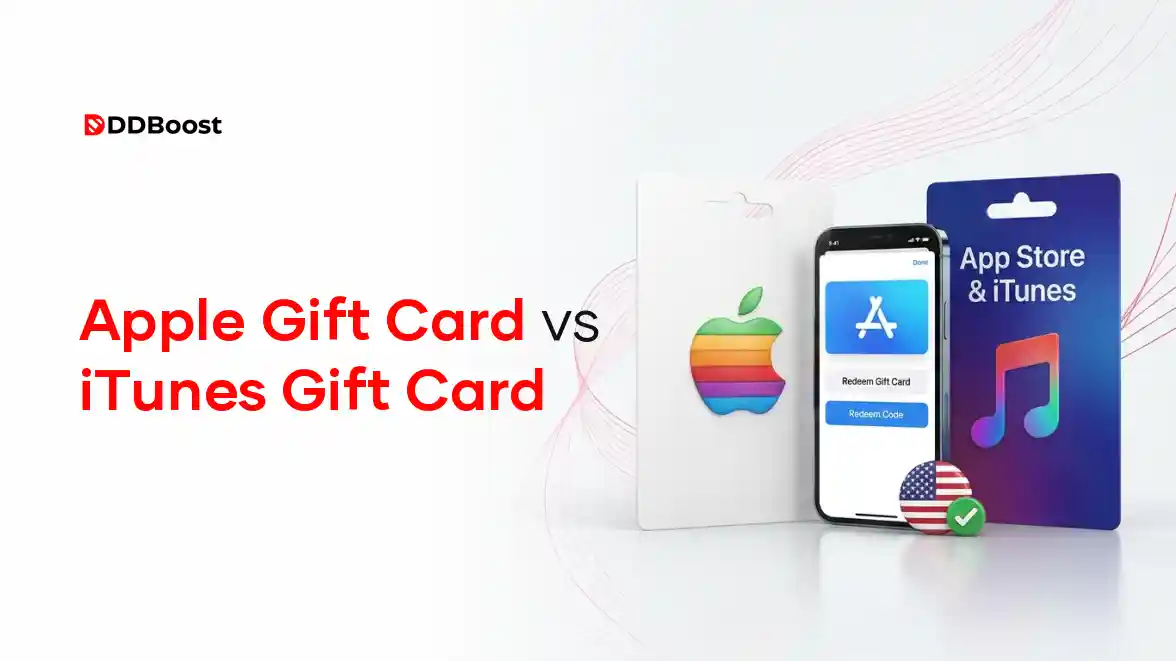
Quick answer: An Apple Gift Card is Apple's newer card that pays for almost anything from Apple, from apps and iCloud to an iPhone case. An iTunes gift card (now called the App Store & iTunes Gift Card) only pays for digital things like apps, music and subscriptions. For both, the card's country must match your Apple Account's country, or it will not work.
The three Apple cards you will see
Most of the confusion comes from the names. Apple has sold three kinds of cards over the years, and sellers still use the old names loosely. Here is what each one does.
| Card | What it pays for | Where you redeem it |
|---|---|---|
| Apple Gift Card | Apps, games, music, iCloud+, Apple Music, and Apple products such as phones and accessories | Your Apple Account balance |
| App Store & iTunes Gift Card (the "iTunes card") | Digital things only: apps, in-app purchases, music, movies, books and subscriptions | Your Apple Account balance |
| Apple Store Gift Card | Physical products from Apple's stores and website | Not in the App Store at all |
The Apple Gift Card is the one Apple now sells in the countries where it is available. It replaced the old split between a card for apps and a card for hardware. Older iTunes cards still work for digital purchases, so if you have one, it is not wasted.
Is an Apple gift card the same as an iTunes gift card?
For someone in Nigeria buying apps, iCloud storage or Apple Music, they behave almost the same. Both add money to your Apple Account balance (the stored value Apple uses when you buy something). You then spend that balance in the App Store, Apple Music, Apple TV or Apple Books.
The difference only shows up with physical products. An Apple Gift Card can pay for an iPhone or AirPods on Apple's online store. An iTunes card cannot. If you mostly buy apps and subscriptions, you will rarely notice this difference.
The card that does cause trouble is the Apple Store Gift Card. According to Apple's support page, these come in grey, white, silver or gold, and they cannot be redeemed in the App Store or iTunes Store. If you try, you get a "Card is not valid" message.
What you can and cannot buy with the balance
Apple's help pages list these uses for an Apple Gift Card or App Store & iTunes Gift Card balance:
- Apps, games and in-app purchases (for example, coins inside a game)
- Music, movies and books from the iTunes Store, Apple TV app and Apple Books
- Subscriptions such as Apple Music, Apple Arcade, Apple TV and app subscriptions
- iCloud+ (extra iCloud storage)
There are limits worth knowing before you spend money:
- You cannot use the balance to buy other gift cards or send gifts.
- Some recurring charges, such as AppleCare+ (Apple's extended repair cover), cannot be started with the balance alone.
- Some purchases may still ask for a card on file even when you have balance.
- Family Sharing members cannot spend your balance. Money you add is only for you.
- Apple says gift cards and balance cannot be swapped for cash, except where the law requires it.
So if your plan is to pay for iCloud storage or a game subscription, a gift card works well. If you want to share the balance with your sibling's iPhone, it will not.
The country rule matters more than the card type
This is where most Nigerians lose money. Apple says you cannot redeem these cards outside the country or region where they were bought. A US card only works on an Apple Account set to the United States. A UK card only works on a UK account.
If the countries do not match, Apple shows the message "Code must be redeemed in a different country or region." The card is fine. It is simply on the wrong account.
Before you buy, check your Apple Account country:
- Open Settings on your iPhone.
- Tap your name at the top.
- Tap Media & Purchases, then View Account.
- Look at Country/Region.
Then buy a card for that exact country. We explain this rule in more detail in our guide to why gift card regions matter.
Should you change your Apple Account country?
You will see advice online telling you to "just switch your Apple ID to the US" so a US card works. It can be done, but it is not a small change, and it is not the right move for everyone.
According to Apple, before you can change country you must:
- Spend your remaining balance (or ask Apple Support to clear a small leftover)
- Cancel subscriptions and wait for the current period to end
- Wait for rentals, pre-orders and refunds to finish
- Possibly leave your Family Sharing group
- Have a valid payment method for the new country
You may also lose access to apps, songs or books that are not sold in the new country. If you cancel iCloud+, your storage drops back to the free 5 GB until you subscribe again.
My view: if you only need a few apps or a subscription, keep your current account and buy a card that matches it. Only change country if you have a real, long-term reason, like moving abroad, and you have already used up your balance.
Which one should you buy?
Use this simple rule:
- For apps, games, iCloud+ or Apple Music: buy an Apple Gift Card or an App Store & iTunes card. Either works. What matters is that it matches your account's country.
- For a physical Apple product from Apple's own store in another country: you need an Apple Gift Card or an Apple Store Gift Card for that country. An iTunes card will not work.
- As a present: ask the person which country their Apple Account is set to before you buy. That one question saves the whole gift.
If a seller only says "Apple card" or "iTunes card", ask which type and which country. A good seller will tell you both.
How to redeem it and spot a bad card
On an iPhone, open the App Store, tap your profile picture, then tap Redeem Code (sometimes shown as Redeem Gift Card or Code). Scan the card or type the code from the back of the card. Our step-by-step guide on how to redeem an Apple gift card covers Mac and Windows too.
If it fails, Apple's page on cards that will not redeem lists the common errors. A few quick checks:
- Type the code that starts with "X". Apple says to watch for letters that look like numbers, such as B and 8, O and 0, S and 5.
- Do not confuse the code with the serial number. Apple says the serial number starts with GCA, PBH or EPY.
- "Card has already been redeemed" can mean someone else used it, or that your balance just needs a refresh. Sign out of the App Store and back in to check.
Apple gift card scams to watch for
Apple says its gift cards can only be used to buy things from Apple. Nobody can legally ask you to pay a bill, a fine, a loan fee or a "customs charge" with one. If someone does, it is a scam.
Typical tricks look like this: an online "partner" who asks for iTunes cards, a job offer that wants a "registration fee" in gift cards, or a buyer who says your card is "already used" so you send another. Apple's page on gift card scams says never to share the code on the back with anyone you do not know well. For more warning signs, see our post on common gift card scams.
When you are ready to buy, DDBoost sells digital gift cards from popular international brands in naira. You can see the gift cards on DDBoost and pick one that matches your Apple Account's country.
Frequently asked questions
Can I use an iTunes gift card to pay for iCloud storage?
Yes. An App Store & iTunes Gift Card adds money to your Apple Account balance, and Apple lists iCloud+ as something you can pay for with that balance. Make sure the card's country matches your account's country, and keep enough balance to cover each monthly charge.
Do old iTunes gift cards still work?
Yes, for digital purchases. Apple still accepts App Store & iTunes Gift Cards and adds them to your Apple Account balance. They cannot be used to buy physical Apple products. The country rule still applies, so an old US card only works on a US account.
Can I use a US Apple gift card on a Nigerian Apple Account?
No. Apple says cards can only be redeemed in the country or region where they were bought. A US card needs an Apple Account set to the United States. Changing your account's country has strict steps and real downsides, so check those before you try.
Can I turn my Apple gift card balance into cash?
No. Apple says gift cards and Apple Account balance cannot be redeemed for cash, except where the law requires it. Anyone offering to "cash out" your balance through your account is a risk. Spend it on apps, subscriptions or iCloud+ instead.
Why does my Apple gift card say "not valid"?
It is often an Apple Store Gift Card, which cannot be used in the App Store. If not, check that you typed the code starting with "X" and did not mix up B and 8 or O and 0. If the code is damaged, contact Apple Support with photos and your receipt.