


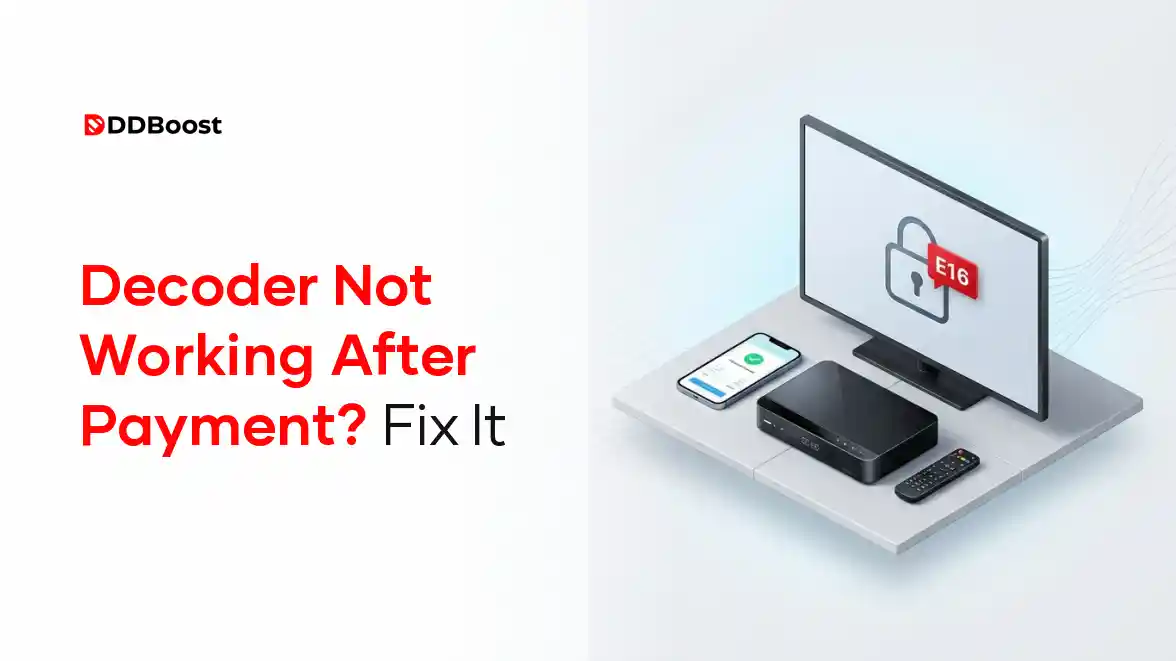
Quick answer: If your decoder is not working after payment, first make sure the decoder is switched on, then use the official "Fix error" option on the DStv or GOtv website, app or WhatsApp. Wait about 15 minutes. If the channels still do not come back, check that you paid to the right smartcard or IUC number and for the right package, and do not pay a second time.
Why your decoder still shows an error after you paid
Paying and switching on your channels are two separate steps. Your payment reaches MultiChoice (the company behind DStv and GOtv), then their system sends a signal to your decoder to unlock the channels. If the decoder misses that signal, you keep seeing an error even though the money has gone.
The usual message is E16. According to DStv's help page, E16 means "service is currently scrambled". In plain words, your channels are locked. It shows up when the account was suspended (for example, it ran out before you paid) or when you are trying to watch a channel that is not in your package.
The common reasons a decoder stays locked after payment:
- The decoder was off or unplugged when the payment went through, so it missed the unlock signal.
- The payment went to a different smartcard or IUC number. This happens a lot in homes with two decoders.
- You paid less than the full price of your package, so the account is still not active.
- The channel you want is in a higher package than the one you paid for.
- The payment is still being processed on the payment app or bank side.
Fix it in 5 minutes: the steps to try first
Do these in order.
- Switch the decoder on and leave it on a TV channel that shows the error. GOtv's own help page says the decoder must be on before you clear the error.
- Find your number. DStv uses a smartcard number. GOtv uses an IUC number (the number linked to your decoder). Both are printed on a sticker under the decoder and in your payment receipt.
- Use the official "Fix error" tool. On DStv, go to the DStv Fix error page, enter your details, choose E16 and confirm. GOtv has the same option on its website and app. Both companies also offer it on WhatsApp and through a USSD menu (dial from the phone number registered on the account).
- Wait up to 15 minutes with the decoder still on. DStv says an error code can take that long to clear. Do not keep switching the decoder off and on during this time.
- If nothing changes, restart once. Unplug the decoder from the wall for about 30 seconds, plug it back in and wait for it to load fully.
Check the smartcard or IUC number you paid to
If the Fix error tool says your account is not active, the money probably went somewhere else. Open the receipt from wherever you paid and compare the number on it with the one under your decoder, digit by digit.
Most payment apps show the account name linked to the number before you pay. If that name was not yours, someone else's decoder got the subscription. Contact the app you paid through with the receipt. Start with the platform that took your money, since it holds the record of where the payment went.
Did you pay the full package price?
Package prices change from time to time. If you paid last month's amount and the price has gone up, the account may stay inactive because the payment is short. The extra money is not lost. It sits on the account as balance, and you only need to add the difference.
Check your current balance and package price through the DStv or GOtv app, website or WhatsApp before you add anything. Pay only the gap, not a full new subscription.
Error gone on some channels but not others
If most channels work and only a few show E16, your account is fine. Those channels are just not in your package. For example, a sports channel might be in a higher DStv package than the one you have. Your choices are to upgrade the package or accept that those channels stay locked. Clearing the error again will not help here.
Still not fixed? What to send to customer care
If you have tried the steps above and waited, contact MultiChoice through the official DStv Nigeria contact page or the GOtv app. Have this ready so they can trace the payment fast:
- Your smartcard or IUC number
- The amount, date and time of the payment
- The payment reference or transaction ID from your receipt
- The name of the app or bank you paid through
- The exact error code on your screen
Write down any ticket number they give you. If the payment never reached MultiChoice at all, the app or bank you paid through is the one to fix it, so send them the same details.
Watch out for fake "DStv customer care"
When people complain on X, Facebook or Instagram that their decoder is not working after payment, fake support accounts often reply within minutes. They use the DStv or GOtv logo, ask you to move to WhatsApp, then ask for your bank card details, a one-time code (OTP) or a "reconnection fee".
Real MultiChoice support will not ask for your card PIN or an OTP to clear an error. Clearing E16 is free. Use only the contacts on the official website or app. If someone already asked you for a code, read our guide on how OTP scams work in Nigeria and call your bank straight away.
How to avoid this next time
- Keep the decoder on when you pay, and for a few minutes after.
- Save your smartcard or IUC number in your payment app so you do not type it fresh each month.
- Check the account name shown before you confirm any payment.
- Check the current package price before paying, especially after a price change is announced.
- Keep every receipt until the channels are back.
If you pay cable TV online, a platform that keeps a clear history helps when something goes wrong. On DDBoost you can pay your DStv or GOtv subscription from your wallet, and every payment comes with a receipt you can hand to customer care if you need to.
FAQ
How long does DStv take to reconnect after payment?
Often it is a few minutes, as long as the decoder is on. If you still see E16, use the Fix error tool and wait. DStv says the error can take up to 15 minutes to clear after that. If it is still locked much later, check the number and amount you paid before contacting support.
Is it safe to pay again if my decoder is not working after payment?
No. Paying again usually does not fix it, and you may end up with two payments to sort out. First check the receipt, the smartcard or IUC number and the package price. Most cases are fixed by clearing the error, not by paying more.
Does clearing the E16 error cost money?
No. Clearing E16 is free on the official DStv and GOtv website, app, WhatsApp and USSD menu. Anyone who asks you to pay a fee to clear the error or reconnect your decoder is most likely a scammer using the brand name.
Why does the Fix error tool say my account is not active?
It means MultiChoice does not see a full payment on that account yet. Either the money went to another number, it was less than the package price, or it is still being processed. Compare your receipt with the number under your decoder and check your balance.
Can I clear the error without the phone number registered on my account?
Yes, on the website you can usually use your smartcard or IUC number with the details asked on the form. The USSD menu works best from the phone number linked to the account. If you changed numbers, update it with customer care.