


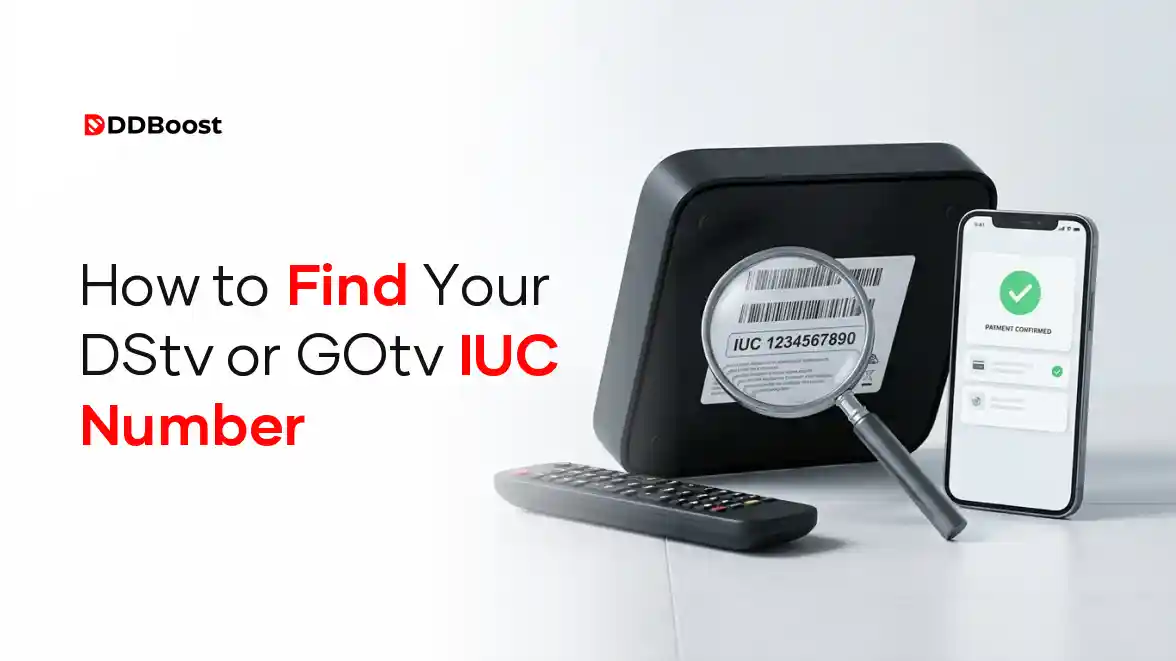
Quick answer: To find your IUC number on a DStv or GOtv decoder, turn the decoder over and read the sticker underneath. Look for the label "IUC" or "SC" and a number that is usually 10 digits long. You can also see it on the TV through the decoder's information menu, or in an old payment receipt.
The IUC number (also called the smartcard number) is the number that tells DStv or GOtv which decoder you are paying for. Every renewal, top-up and error reset needs it. If you type the wrong one, your money goes to someone else's decoder.
What is an IUC number?
IUC stands for Integrated User Code. It is the ID of one decoder (or the smartcard inside it). DStv and GOtv use it to switch your channels on when you pay.
Many people call it different names. Payment pages may ask for a "smartcard number", "IUC number" or "decoder number". In most cases they mean the same thing. On the DStv Nigeria payment page, for example, one bank asks for the IUC number while the website asks for the smartcard number.
It is linked to the decoder, not to you. If you buy a second decoder, it gets its own IUC number.
Where to find the IUC number on the decoder
This is the fastest way and works even when the TV shows an error.
- Switch off the decoder and unplug it, so you can lift it safely.
- Turn it upside down.
- Find the sticker. On GOtv decoders it is often a red or orange sticker. On DStv decoders it is usually a white label with barcodes.
- Look for the line marked "IUC", "SC" or "Smart Card No." The digits next to it are your number.
- Take a clear photo of the sticker with your phone. You will need this number again.
Do not copy the barcode line marked "S/N" or "Serial No." That is the decoder's serial number, which is a different code. It will not work for payment.
Older DStv decoders with a card
Some older DStv decoders take a plastic smartcard in a slot at the front or side. If your decoder has one, the number is printed on the card. Pull it out gently, read the number, and push it back in the same way, chip side first. Do this while the decoder is switched off.
How to see it on your TV screen
If the sticker has faded or peeled off, the decoder can show the number on the screen.
- GOtv: press MENU on the GOtv remote, open "Information Central" (or a similar "Information" option) and press OK. The IUC number shows near the top of the screen.
- DStv: press MENU or INFO on the remote and look for a "Help", "Information" or "Customer Info" page. The smartcard number is listed there.
The menu names change a little between decoder models and software updates. If you cannot find the exact name, open each option under Settings or Information. The number is always 10 digits or close to it, so it is easy to spot.
Other places to find it without the decoder
Maybe you are at work and want to renew for your parents at home. You do not need to call anyone to read the sticker.
- Old payment receipts: any app or bank you paid with before should show the IUC number on the receipt or in your transaction history.
- Bank alerts and narrations: some bank transfer records include the smartcard number in the description.
- The MyDStv or MyGOtv app: if you already have an account, your decoder details show once you log in.
- The original box or papers: the decoder box and installation papers often carry the same sticker.
- Customer care: DStv and GOtv can tell you the number after they confirm you are the account owner, usually with your registered name and phone number.
IUC number vs customer number vs serial number
These three get mixed up all the time. Here is what each one is for.
| Number | What it identifies | Where you see it | Use it to pay? |
|---|---|---|---|
| IUC / smartcard number | Your decoder or smartcard | Sticker under the decoder, TV info menu, receipts | Yes, almost every payment option asks for it |
| Customer number | You, the account holder | MyDStv or MyGOtv app, statements | Only where a bank asks for it as a reference |
| Serial number (S/N) | The physical box, for the maker | Barcode on the same sticker | No |
If a payment page says "smartcard number" or "IUC", give the IUC number. Only use the customer number when a bank form asks for it by that exact name.
Check the name before you pay
This is the step most people skip, and it is where money gets lost.
When you type an IUC number into a payment app, it should show the name on that DStv or GOtv account before you confirm. Read that name. If it is not your name (or the name of the person whose decoder you are paying for), stop. One wrong digit can send your renewal to a stranger, and getting it back is slow and not guaranteed.
A few habits that save trouble:
- Save the number in your phone contacts, for example as "GOtv Mum's house".
- If you pay for more than one decoder, label each one clearly.
- Switch the decoder on before you pay, so the signal can reach it. According to GOtv, this helps avoid the E16 error after payment.
If you already paid and the channels did not come back, our guide on fixing a decoder that is not working after payment walks through the resets in order.
Keep your IUC number away from scammers
Your IUC number is not a password. Someone who has it can pay for your decoder, but cannot take over your account with it alone.
Scammers still use it. A common trick is a message offering "cheap DStv or GOtv renewal" at a big discount. They ask for your IUC number and payment, then nothing arrives, or they pay with a stolen card and the payment is reversed later. Pay only through the official DStv or GOtv channels, your bank, or a payment app you trust.
If someone calls claiming to be from DStv or GOtv and asks for an OTP (a one-time code sent to your phone) or your bank PIN, hang up. Real customer care does not need those.
For official payment options, see the DStv Nigeria payment page and the GOtv Nigeria help page.
Once you have the number, you can renew from your DDBoost wallet under cable TV in the bills section. The app shows the account name before you confirm, and every payment gets a receipt you can check later.
Questions people ask about the IUC number
How many digits is a DStv or GOtv IUC number?
It is usually 10 digits. If you count fewer, you may have missed a digit on a faded sticker. If you count many more, you are likely reading the serial number. Check the line marked "IUC" or "SC" again, or read it from the TV information menu.
Is the IUC number the same as the smartcard number?
Yes, for payments they mean the same number. DStv often says "smartcard number" while GOtv says "IUC number". Banks and payment apps use both names. The customer number and the serial number are different codes.
Can I find my IUC number with my phone number?
Not on your own. Customer care can look it up using the phone number and name registered on the account. If you have paid before, check old receipts in your bank or payment app first, since that is quicker.
Does the IUC number change when I change my package?
No. The number belongs to the decoder, so it stays the same when you upgrade, downgrade or move house. It only changes if you get a new decoder or, on older DStv models, a new smartcard.
What happens if I pay with the wrong IUC number?
The money goes to whichever decoder owns that number. Contact the payment provider and DStv or GOtv quickly with your receipt. A refund is not guaranteed, which is why you should check the account name before you pay.