


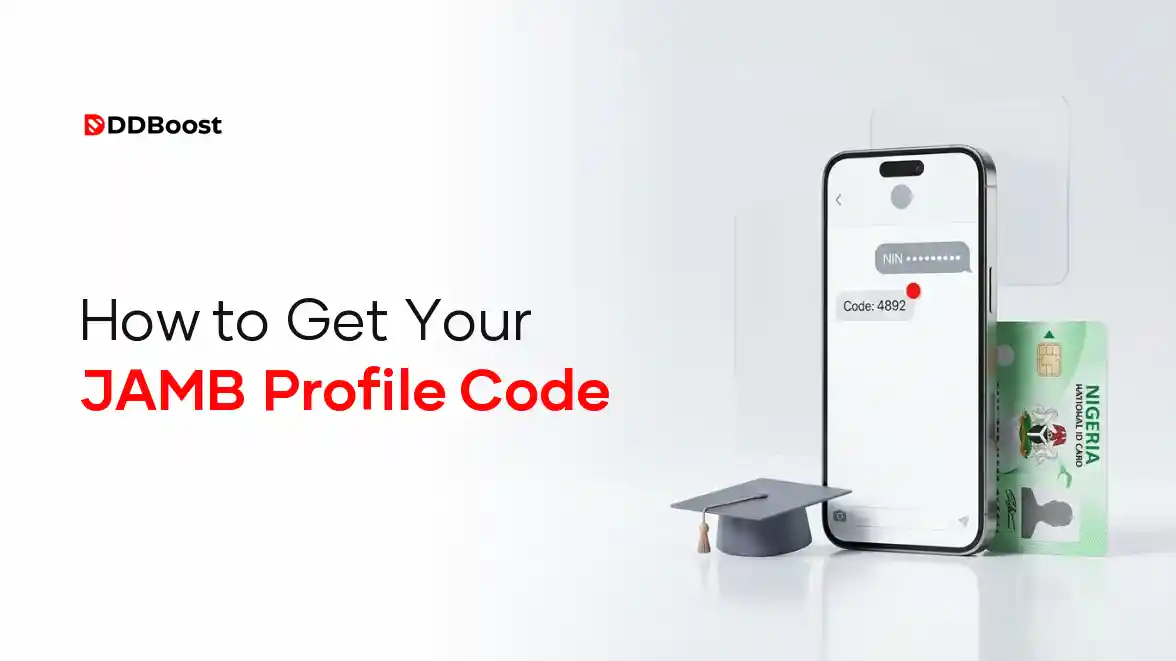
Quick answer: To get your JAMB profile code, text NIN, a space, then your 11-digit National Identification Number to 55019 or 66019 from your own phone line. JAMB replies with your profile code and your name. If you already have a code from an earlier year, text RESEND from that same line to bring it back.
Your JAMB profile code is the first thing you need before you can buy a JAMB ePIN (the registration PIN) or register for the UTME (the Unified Tertiary Matriculation Examination). It ties your NIN, your phone number and your future registration together. If any of those three is wrong, the problems follow you for years, so it pays to get it right before registration opens.
What is a JAMB profile code?
A JAMB profile code is a short code that JAMB sends to your phone by SMS. It links your NIN details to one phone number. You give this code to the seller when you buy your ePIN, and you take it to the CBT (computer-based test) centre when you register.
Think of it as your JAMB account number. One person should have one profile code, linked to one phone line that they control.
Before you send the SMS: check these 3 things
Most profile code problems start before the SMS is even sent. Check these first.
- Your NIN details are correct. JAMB builds your profile from your NIN record. Your name, date of birth and other details come straight from NIMC (the National Identity Management Commission). If your name is spelt wrong there, it will be wrong on JAMB too. Fix it with NIMC first.
- The phone line is yours. According to JAMB, no two candidates can use the same phone number. Do not use your mum's line, a sibling's line or a cyber cafe owner's line. Your ePIN and every future code will go to that number.
- The line has airtime. The SMS is charged like a normal paid text. If the line has no airtime, the message fails and you may think JAMB is not replying.
Not sure which number is in the phone? Our guide on how to check your phone number on any network shows the codes.
How to get your JAMB profile code by SMS
- Open the normal messages app on the phone that holds your SIM. Do not use WhatsApp.
- Type NIN, one space, then your 11 digits. Example: NIN 12345678901 (this is a sample number, use yours).
- Send it to 55019 or 66019.
- Wait for the reply. It shows your profile code and the name JAMB found on your NIN.
- Check that the name is yours and spelt correctly.
- Write the code down in a notebook and save a screenshot. Do not delete the SMS.
Type the message exactly as shown. A missing space, an extra space, or a full stop after the number can cause a failed reply.
Lost your profile code? How to get it back
If you created a profile code in an earlier year, do not try to create a fresh one. JAMB's own FAQ says you should send the word RESEND from the same phone number to 55019 or 66019. This brings back your code and also refreshes an old code so it works for a new registration.
The key part is "the same phone number". A new SIM has no link to your profile, so JAMB will not reply to it with your code.
Lost your ePIN too? JAMB's FAQ says to text UTMEPIN from your registered number to 55019 or 66019.
Lost the SIM you used for JAMB?
This is the hardest case, and it is common. A student buys a cheap SIM for JAMB, the SIM gets lost, and two years later they need it again.
Your first move is to retrieve the SIM itself. Go to your network's office (MTN, Airtel, Glo or T2) with your ID and do a SIM replacement for the same number. You keep the same number, so RESEND will work again.
If you cannot get the number back, JAMB has a "profiled email" service for candidates who lost the SIM linked to their profile. It starts at a JAMB-accredited CBT centre, where you fill a form. Ask the centre for the current steps, because JAMB's rules on SIM and email changes have changed between years.
For a future candidate, ask your network about "Keep My Number". JAMB's FAQ says this keeps the SIM for an initial 3 years, and it can be renewed.
Common JAMB profile code errors and what they mean
| What you see | Likely cause | What to do |
|---|---|---|
| No reply at all | No airtime, poor signal, or wrong format | Load airtime, move to better signal, check the spacing and send again once |
| Number already used | This line was used for a JAMB profile before | If it is your own old profile, send RESEND. If not, use a different line that is yours |
| NIN already has a profile code | You created one before, maybe on another line | Send RESEND from the original line. Do not create a duplicate |
| Name does not match NIN | Your NIMC record and your JAMB record differ | Correct the record at NIMC first, then try again |
| NIN not found | Typo in the NIN, or the record has a problem | Check the 11 digits. If they are right, visit a NIMC centre |
Do not keep sending the same SMS 10 times. Each text costs airtime, and spamming the shortcode will not speed up a reply.
After the profile code: buying your ePIN
With your profile code ready, you can buy the JAMB ePIN when sales open. JAMB's FAQ says the ePIN is sent by text to the phone number registered with the Board. You then take the profile code and ePIN to a JAMB-accredited CBT centre and register in person.
Prices change between years, so wait for JAMB's official announcement before you pay. As one example, many news reports put the 2026 UTME fee at ₦7,200 without the mock exam and ₦8,700 with it. Do not assume the same amounts for 2027.
Read the official answers on JAMB's FAQ page if anything here differs from what a centre tells you.
Scams to watch for around JAMB registration
- "I will register you from home." Registration happens at an accredited CBT centre, with you present.
- "Send me your profile code and ePIN." JAMB tells candidates to keep these details private. Anyone with them can mess up your registration.
- "Pay extra and I will boost your score or secure admission." No one can do this. It is a scam every single year.
- Fake JAMB pages on Facebook and WhatsApp that collect "registration fees". Only pay through channels JAMB has announced.
It is also wise to check which numbers are linked to your NIN, so no stranger is using your identity on a line you do not know about.
If the line you will use for JAMB has no airtime, you can top it up on any network from your DDBoost wallet on the services page, then send the SMS.
FAQ
Can I use my parent's phone number for JAMB?
It is better not to. JAMB says no two candidates can use the same number, and every code, ePIN and update goes to that line. If a younger sibling later needs it, or your parent loses the SIM, you lose access. Use a line in your own name that you will keep.
Can I generate a JAMB profile code without NIN?
No. The profile code comes from your NIN record, so you need a valid 11-digit NIN first. If you have not enrolled, go to a NIMC enrolment centre. Do this early, because NIN problems are the most common reason candidates miss registration.
How long does it take to get the profile code?
It often arrives within minutes, but delays happen when many candidates are texting at once, especially in the first days of registration. If nothing comes after several hours, check your airtime and the message format, then send once more. Generating it before sales open avoids the rush.
Can I use WhatsApp to send the SMS to 55019?
No. 55019 and 66019 are SMS shortcodes. They only work with the normal text messages app on a phone that has an active Nigerian SIM. WhatsApp, Telegram and online SMS sites will not reach them.
Do I need a new profile code every year?
No. If you created one before, keep it. JAMB's FAQ says to send RESEND from the same number to 55019 or 66019 to refresh the old code for a new registration. Creating a second profile can cause a duplicate record.