


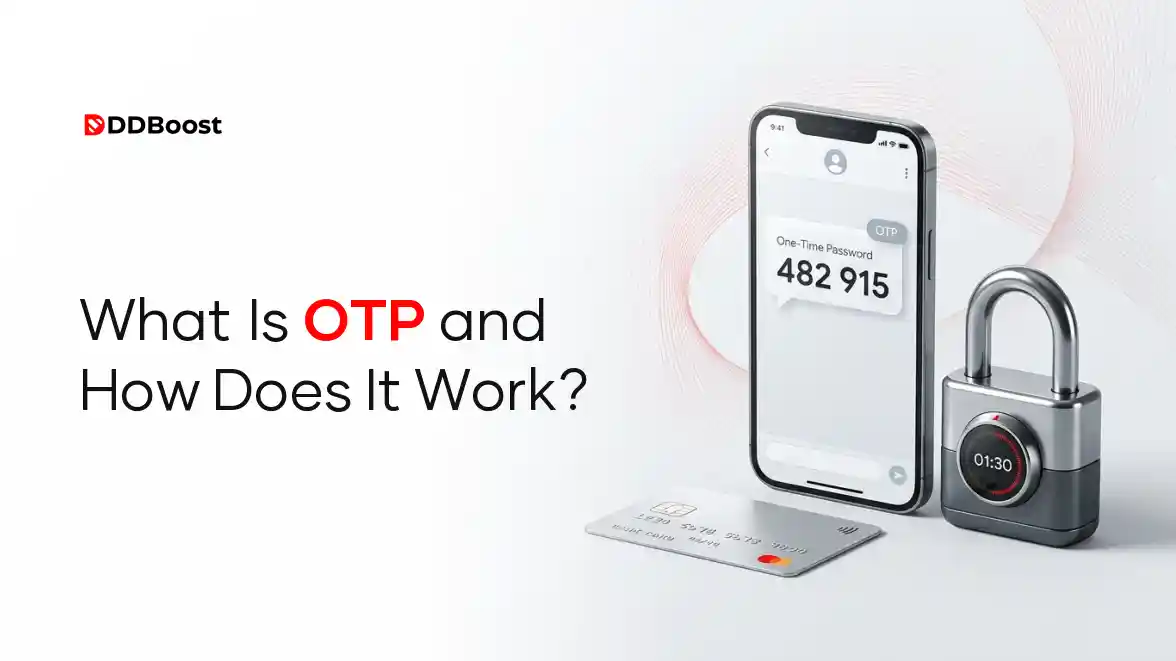
Quick answer: OTP means one-time password. It is a short code, usually 4 to 8 digits, that a bank, app or website sends you to prove you are the person asking to log in or pay. It works once, expires within minutes, and you should never read it out or forward it to anyone.
What does OTP mean?
OTP stands for one-time password. Some banks call it a one-time PIN or a token. They all mean the same thing: a code that is made fresh for one action and then thrown away.
Your normal password stays the same for months. An OTP changes every time. So even if a thief already knows your password, they still need the fresh code that only lands on your phone or email. That second check is called two-factor authentication (2FA), which simply means "two proofs instead of one".
Where you see OTPs in Nigeria
You will usually meet an OTP in these places:
- Card payments online. When you pay with a naira card on a website, your bank sends a code before it lets the payment through.
- Bank apps. Logging in on a new phone, adding a new device, or raising your transfer limit often triggers a code.
- Sign-ups. WhatsApp, Telegram, TikTok and most apps send a code by SMS to confirm your phone number.
- Email checks. Many websites send a code to your inbox to confirm the email address is really yours.
- Password resets. When you tap "forgot password", the reset usually starts with a code.
How an OTP works, step by step
- You start an action, such as logging in or paying ₦15,000 on a shopping site (an example amount).
- The bank or app creates a random code and saves a copy on its own system, with a short expiry time.
- It sends the code to a place only you should control: your SIM by SMS, your email, a voice call, or WhatsApp.
- You type the code into the app or page.
- The system compares your code with its copy. If they match and the time has not run out, the action goes through. The code is then dead and cannot be used again.
There is a second kind of OTP that is never sent to you at all. An authenticator app (an app like Google Authenticator that shows changing codes) and the small token device some banks give out both make codes on the spot. They use a secret key shared with the bank and the current time, and the code usually changes every 30 seconds. Because nothing travels over the phone network, there is nothing for a SIM thief to catch.
SMS, email or app: which OTP is safest?
| Type | How you get it | Main weakness | Best for |
|---|---|---|---|
| SMS OTP | Text message to your line | SIM swap fraud, network delays, weak signal | Everyday sign-ups and card payments |
| Email OTP | Message in your inbox | Only as safe as your email password | Website sign-ups, account changes |
| Voice or WhatsApp OTP | Call or chat message | Same as SMS, tied to your number | Backup when SMS fails |
| Authenticator app or hardware token | Made on your device | Losing the phone or token without a backup | Email, banking, social media accounts you cannot afford to lose |
My advice: keep SMS for routine things, but switch your main email and social media accounts to an authenticator app where they allow it. We compare the two in more detail in our guide on authenticator app vs SMS codes.
Why you must never share your OTP
An OTP is the last lock on the door. Whoever has it can finish the login or the payment you never asked for. No real bank staff, network agent or app support person needs it, because their system already knows the code.
Scammers know this, so they build a story to get you to read it out. Common ones in Nigeria:
- A caller says your BVN or account is "blocked" and needs the code to "reactivate" it.
- A WhatsApp contact (often a friend's hacked account) says they sent a code to your phone "by mistake" and asks you to forward it. That code is usually for taking over your own WhatsApp.
- A buyer on a marketplace says they need the code to "confirm payment" before they send money.
- A fake customer care page on social media asks for it to "fix" a failed transfer.
Read the full text of every OTP message before you do anything. Most banks write something like "do not disclose this code". If the message says it is for a transfer, a login or a new device that you did not start, someone else is trying to get in. Do not share it, change your password and call your bank's official number. Our guide to the OTP scam in Nigeria walks through what to do if you already shared one.
How long does an OTP last?
There is no single rule. Each bank or app sets its own time, and most give you between 30 seconds and a few minutes. The message often tells you the exact time, so check it. If the code expires, do not keep typing it. Tap "resend" and use only the newest code, since a new request often cancels the old one.
Also watch the attempt limit. If you request codes or type wrong ones too many times, many apps lock you out for a while. Waiting is the only fix, so slow down after two failed tries.
OTP not coming? Check these first
- Check the number you typed. One wrong digit, or a missing country code (+234), sends the code to someone else or nowhere.
- Check your signal and airtime line. Turn airplane mode on for 10 seconds, then off. A barred or inactive SIM cannot receive codes.
- Look in the right place. Some phones file bank and app codes under a "spam" or "promotions" folder in the messages app. For email codes, check spam and promotions too.
- Check your DND setting. The NCC's Do Not Disturb service on 2442 is meant to stop promotional messages. If codes stopped after you sent STOP, text STATUS to 2442 to see your setting, and read the NCC's DND guide to pick the categories you still want.
- Clear phone storage. A full memory can stop new texts from saving.
- Try another channel. Many apps offer "call me" or WhatsApp delivery if SMS fails.
If a code meant for an app sign-up never arrives on a virtual number, the cause is often different. Our post on virtual number not receiving OTP covers that case.
Can you receive an OTP without using your own number?
Yes, for some sign-ups. A virtual number is a temporary phone number that can receive the SMS code an app sends when you register. A short-term email inbox does the same job for email codes.
Do not use either for your bank, your main email or any account you plan to keep for years. You will need to receive codes on that account again, and a temporary number or inbox will be gone. For those, use your own SIM plus an authenticator app.
If you do need a code for a one-off sign-up, DDBoost has virtual numbers from many countries and short-term email inboxes you can buy from the wallet on the DDBoost services page.
FAQ
What is the full meaning of OTP?
OTP means one-time password. Some banks and apps also call it a one-time PIN, a passcode or a token. It is a short code made for one login or payment. Once you use it, or once its time runs out, it stops working and a new one is needed.
Is OTP the same as a PIN?
No. Your PIN is fixed and you choose it, like your card PIN or transfer PIN. An OTP is made by the bank or app for one action and changes every time. A payment can ask for both: your PIN to show you know a secret, and the OTP to show you hold the phone.
Can someone use my OTP if I share it?
Yes, and quickly. If someone is already on the login or payment screen, your code lets them finish it within seconds. That is why banks warn you never to share it, even with someone claiming to be staff. If you shared one, change your password and call your bank straight away.
Why did I receive an OTP I did not request?
Someone may have typed your number or email while trying to log in or reset a password, by mistake or on purpose. Do not share the code. If it keeps happening, change the password on that account and turn on an authenticator app if it offers one.
Can I get an OTP without network?
Only from an authenticator app or a bank token. Those make codes on the device itself, so they work offline. SMS, voice and WhatsApp codes need a working line or data connection, and email codes need internet. If you travel or often lose signal, set up an authenticator app before you need it.