


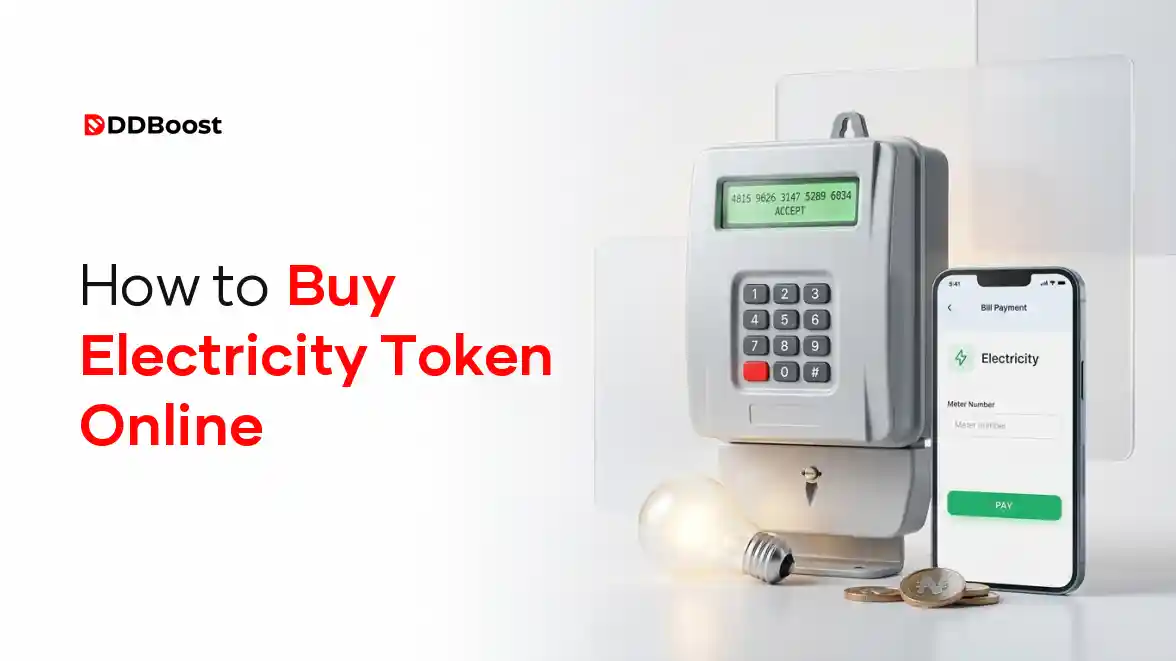
Quick answer: To buy electricity token online, you need three things: your meter number, the name of your electricity company (DisCo), and your meter type (prepaid). Pick a trusted vending platform, enter those details, check the name that comes back, pay, then type the 20-digit token into your meter and press Enter.
What you need before you pay
Most failed token purchases happen before payment, when one detail is wrong. Get these ready first.
- Your meter number. It is printed on the meter itself, usually on a sticker on the front. You can also find it on an old token receipt. Copy it exactly as it appears.
- Your DisCo. A DisCo (distribution company) is the company that supplies power to your area. Examples are Ikeja Electric, Eko Electric (EKEDC), Abuja Electric (AEDC), Ibadan Electric (IBEDC) and Port Harcourt Electric (PHED). Your old receipt or bill shows the name.
- Prepaid or postpaid. A prepaid meter needs a token before you get light. A postpaid account is billed after you use power, so you pay a bill instead of buying a token. Choosing the wrong one is a common mistake.
- A phone number or email. Many platforms send a copy of the token there, so you still have it if you close the page.
If you rent, ask your landlord or caretaker for a photo of the meter sticker. Do not guess the number from a neighbour's meter.
How to buy electricity token online, step by step
The steps below work on most vending apps, websites and bank apps. The buttons may have different names, but the order is the same.
- Open the electricity or bills section. On a vending platform, look for "Electricity", "Bills" or "Utility".
- Choose your DisCo. Pick the exact company that serves your area. A token made for one DisCo will not work on a meter from another.
- Choose "Prepaid". Then type your meter number.
- Check the customer name. Good platforms look up the meter and show the name and address on the account. If the name looks wrong or nothing shows, stop. Check the number again before you pay.
- Enter the amount. Many DisCos have a minimum amount per purchase, and the platform will tell you if you go below it.
- Pay. Use your wallet balance, card or bank transfer, depending on the platform.
- Copy the token. You get a 20-digit number. Screenshot it or save it in your notes before you leave the page.
- Load it on the meter. Type the 20 digits on the meter keypad (or the small unit inside the house) and press Enter or the blue key. Wait for "Accept" or "Success".
If you bought more than one token, load them one after another. Each token can only be used once.
Where can you buy a token online?
You have more options than the DisCo office or the man at the POS stand. Here is how they compare.
| Option | Good for | Watch out for |
|---|---|---|
| Your DisCo's own app or website | Getting the token straight from the source | Some DisCo sites are slow or go down at busy times |
| Your bank app | Paying straight from your account | The token may hide in the transaction details, so look carefully |
| Bill payment and vending platforms | Paying for power, airtime, data and TV in one place, with a history of every purchase | Use only well-known platforms, never a random link from WhatsApp |
| POS agents and shops | When you have cash and no data | You must read out your meter number, and receipts are easy to lose |
Our view: use a platform that shows you the customer name before you pay and keeps a record of past tokens. That record is what saves you when a token goes missing.
Why did I get fewer units than I expected?
A unit is one kilowatt-hour (kWh), which is the amount of power a 1,000-watt appliance uses in one hour. The number of units you get depends on your tariff band, not on the platform you use.
According to the Nigerian Electricity Regulatory Commission (NERC), customers are grouped into bands by how many hours of supply their feeder gets. Band A customers are meant to get at least 20 hours a day and pay the highest rate per unit. So the same ₦10,000 can give two households very different units.
Part of your payment also goes to VAT (value added tax), and some DisCos take a fixed charge or an old debt from your purchase. Your receipt usually shows the amount, the VAT and the units. If the units look far too low, call your DisCo and ask what was deducted. Rates change, so check the current figures on the NERC website or with your DisCo instead of trusting old screenshots.
Token not working? Check these first
Most token problems have a simple cause. Try these before you panic.
- "Reject" or "Error" on the meter. You may have typed a digit wrong. Clear it and type the 20 digits again slowly.
- "Used" or "Already used". That token has been loaded before. Check if your units went up the first time.
- Payment went through but no token showed. Check your SMS, email and the purchase history on the platform. Network delays happen, so give it a few minutes before paying again.
- Wrong DisCo or wrong meter number. The token will not load. Contact the platform's support with your receipt. Do not buy another token until you sort this out.
We cover meter errors in more detail in our guide on what to do when your prepaid meter token is not loading.
What are key change tokens?
A key change token (KCT) is a special code that updates your meter's settings. It does not add units. In 2024, NERC asked prepaid meter users to update their meters before 24 November 2024, because the old token system was running out of codes. DisCos gave out two free key change tokens per meter for this. If your meter refuses every new token even with the right details, ask your DisCo if your meter still needs this update.
Electricity token scams to avoid
Scammers like electricity tokens because people buy them in a hurry, often at night when the light goes off.
- "Cheap token" offers. Posts on WhatsApp or Facebook promise double units or a big discount. Units come from the DisCo's tariff, so nobody can legally sell you more units for the same money. You pay and get nothing, or get a token that does not work.
- Fake meter "officials". Someone comes to your house and says your meter needs an update for a fee. Real key change tokens come from your DisCo. Call the DisCo's official line before you pay anyone.
- Bypass or "unlimited" offers. Anyone offering to tamper with your meter is asking you to commit a crime. DisCos can disconnect you and charge you for it.
- Look-alike websites. Type the address yourself or use the app from the official store. Do not enter card details on a site you found through a forwarded link.
Small habits that save money and stress
- Buy before the units run very low. If a token fails at night, you still have some light while you sort it out.
- Keep every receipt. A screenshot with the token, date and amount is your proof if you need to complain.
- Save the meter number in your phone. Save it with your DisCo name, so you are not climbing to check the sticker every time.
- Check the units after loading. Most meters show the balance when you press a set key. Your meter manual or DisCo will tell you which one. Make sure the number went up.
If you already buy airtime and data online, it helps to pay your power from the same place. On DDBoost you can fund one naira wallet and pay electricity, cable TV and other bills from your dashboard, with a receipt for each purchase. You can pay your electricity bill on DDBoost when you are ready.
Frequently asked questions
Can I buy electricity token for someone else?
Yes. You only need their meter number and their DisCo. The token works on that meter no matter who paid. Send them the 20-digit code after you buy it, and ask them to confirm the name on the account before you pay so the money does not go to the wrong meter.
How long does an online electricity token take to arrive?
Usually it shows right after payment, on screen and often by SMS or email. Sometimes the DisCo's system is slow and it takes longer. Check your purchase history before paying again, because paying twice only gives you two tokens and does not speed up the first one.
Can I use a token bought for another DisCo?
No. A token is made for one meter on one DisCo's system. If you picked the wrong DisCo, the meter will reject it. Contact the platform's support with your receipt and ask how they handle wrong-DisCo purchases.
Can I load a token on a different meter?
No. Each token is tied to the meter number used to buy it. If you typed the wrong meter number and it belonged to someone else, the units go to that meter. This is why checking the customer name before you pay matters so much.
Do I need data to load a token on my meter?
No. The meter does not need internet. You only need data or a bank connection to buy the token. Once you have the 20 digits, you can type them into the meter keypad at any time.