


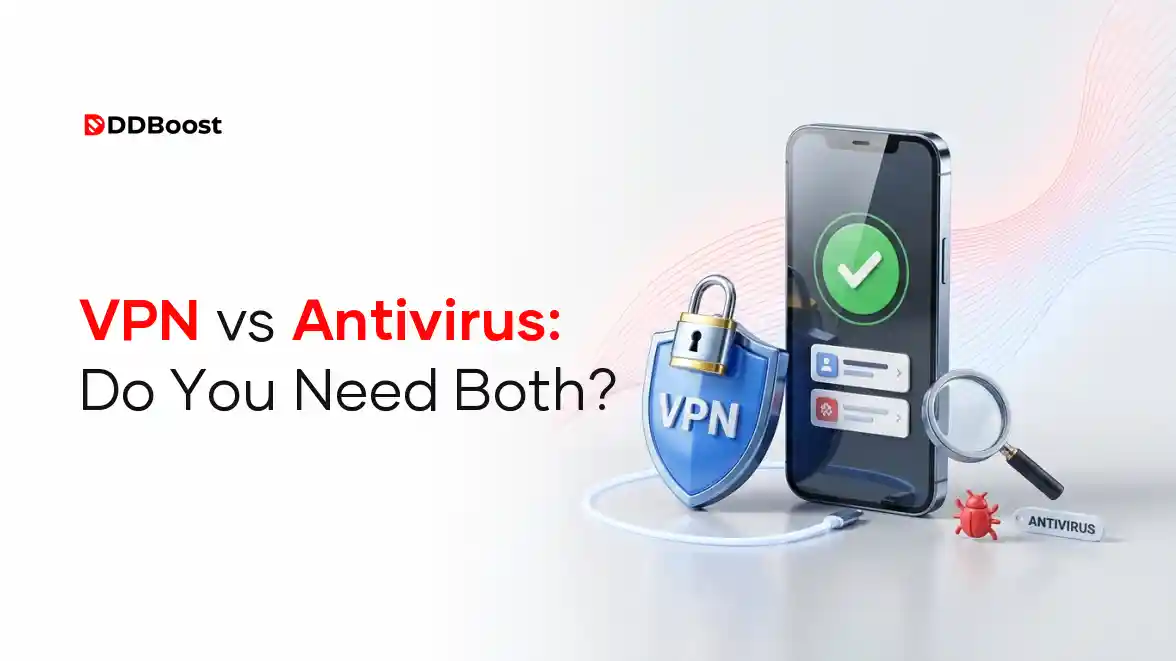
Quick answer: A VPN protects the connection between your phone and the internet. Antivirus protects the phone or laptop itself from harmful apps and files. They guard different doors, so one cannot do the other's job, but most people already have free antivirus built in and only need to add a VPN for specific situations.
What does a VPN protect?
A VPN (virtual private network) is a tool that hides your internet address and scrambles the data travelling between your device and the website or app you use. Scrambling data this way is called encryption.
Think of it as a sealed pipe. Anyone sitting on the same network, such as the owner of a hotel Wi-Fi or a stranger on airport Wi-Fi, sees that you are online but cannot read what goes through the pipe.
A VPN helps when:
- You use public Wi-Fi in a café, hotel, campus hostel or airport lounge.
- You do not want the network you are on to see which sites you visit.
- You want your real internet address hidden from the sites you visit.
What a VPN does not do: it does not check the apps you install, it does not remove a virus already on your phone, and it cannot stop you from typing your bank PIN into a fake website. If you want the full picture, our explainer on what a VPN really hides goes deeper.
What does antivirus protect?
Antivirus is software that checks apps and files on your device for malware. Malware means any program built to cause harm: stealing passwords, reading your SMS codes, showing endless ads or locking your files until you pay.
Antivirus works on what is already inside or about to get inside your device. It scans a file you downloaded, warns you about a dangerous app and can remove it.
What antivirus does not do: it does not hide your internet address, and it does not stop people on the same Wi-Fi from watching your traffic.
VPN vs antivirus side by side
| Question | VPN | Antivirus |
|---|---|---|
| What it guards | Your connection | Your device |
| Hides your internet address | Yes | No |
| Protects you on public Wi-Fi | Yes, it encrypts your traffic | No |
| Finds and removes harmful apps | No | Yes |
| Stops you from being tricked by a fake link | Not really | Sometimes, it may flag known bad sites |
| Usually built into your phone or laptop | No | Yes on Android and Windows |
| Uses a bit of extra data | Yes, a small amount | Only for updates |
The short version: a VPN is about who can see what you send. Antivirus is about what you let onto your device.
You may already have antivirus without paying
Before you buy any security app, check what your device already does.
Android phones
Google Play Protect is built into Android phones that come with the Play Store. According to Google's help page, it is on by default, it checks apps before you download them from the Play Store, and it also scans your phone for harmful apps from other sources. It can warn you, disable a bad app or remove it.
To check it is on:
- Open the Play Store app.
- Tap your profile picture at the top right.
- Tap Play Protect, then the settings icon.
- Make sure Scan apps with Play Protect is turned on.
Google explains each setting on its Play Protect help page.
Windows laptops
Windows 10 and 11 come with the Windows Security app, which includes Microsoft Defender Antivirus. Microsoft describes it as giving real-time protection against viruses and malware. To run a quick check, open Windows Security, choose Virus & threat protection, then Quick scan. Microsoft's Windows Security guide walks through the other options.
iPhones
On an iPhone, each app runs in its own sealed space and apps come from the App Store, which Apple reviews. Because of this, "antivirus" apps on iPhone cannot scan other apps the way they do on Windows. Most of them are really VPNs, link checkers or password tools with a security label. Keeping iOS updated does more for you than any of them.
When you need a VPN, and when you do not
A VPN earns its place if you often connect to Wi-Fi you do not control. A student who does assignments on the campus network, a trader who checks bank apps on hotel Wi-Fi while travelling, or someone who works from a co-working space all fall in this group.
You probably do not need one switched on all day if you mostly use your own mobile data at home. Your network provider still sees which sites you visit, but a mobile data connection is much harder for someone nearby to snoop on than open Wi-Fi. In that case a VPN is a "nice to have", not a must.
Two honest downsides: a VPN can slow your connection a little, and it uses a small amount of extra data. Our guide on public Wi-Fi risks explains when the trade is worth it.
Avoid random free VPN apps. Some of them make money by collecting what you do online, which defeats the point of using one.
When paid antivirus is worth it
For most people, the free built-in protection is enough if they keep it on and keep the device updated. A paid antivirus can make sense when:
- You run a business laptop that many staff use and plug flash drives into.
- You often download files from outside official stores, such as software from forums or attachments from strangers.
- Your Windows laptop is old and you want extra tools like a password manager or backups in one bundle.
Do not install two antivirus programs on one device. They can clash, slow the device down and block each other. On Windows, Microsoft Defender usually steps back when another antivirus takes over, which is normal.
Mistakes that beat both a VPN and antivirus
Most people in Nigeria who lose money or accounts online are not beaten by clever malware. They are tricked into handing things over. Neither tool stops that.
- Installing modified apps from websites. "Upgraded" versions of WhatsApp, Instagram or paid apps passed around as APK files (Android install files from outside the Play Store) are a common way malware gets in.
- Sharing an OTP. No bank, network or app staff will ask for the code sent to your phone. A VPN cannot protect a code you read out on a call.
- Tapping links in SMS or WhatsApp that claim your account is blocked. Our guide on checking if a link is safe shows how to test one first.
- Skipping updates. Phone and app updates fix security holes. A phone that has not updated in a year is easier to break into, antivirus or not.
- Using one password everywhere. If one site leaks it, every account is open.
What I would set up on a normal phone and laptop
- Leave Play Protect (Android) or Microsoft Defender (Windows) on. Do not pay for antivirus unless you fall into one of the cases above.
- Turn on automatic updates for the phone, laptop and apps.
- Install apps only from the Play Store, App Store or the official website of the company.
- Use a trusted paid VPN on public Wi-Fi, and switch it on before you open banking or email apps there.
- Turn on two-step login for WhatsApp, email and social media accounts.
If you need a VPN for public Wi-Fi, DDBoost sells VPN subscription plans for phones and computers, which you can buy with your naira wallet from the DDBoost services page.
VPN vs antivirus: common questions
Does a VPN protect against viruses?
No. A VPN encrypts your connection and hides your internet address, but it does not scan apps or files. If you download a harmful APK while connected to a VPN, the VPN will deliver it safely to your phone, malware and all. You still need antivirus, such as Play Protect or Microsoft Defender, for that.
Is Windows Defender good enough on its own?
For most home users, yes, as long as it stays on and Windows keeps updating. It is built into Windows 10 and 11 and gives real-time protection. Consider paid software only if you share the laptop widely, download files from risky places or want extra bundled tools.
Do I need antivirus on my Android phone?
Usually not a separate one. Google Play Protect is on by default and scans apps from the Play Store and other sources. Keep it on, avoid APK files from websites and WhatsApp groups, and keep your phone updated. Those habits matter more than an extra app.
Can I use a VPN and antivirus together?
Yes. They do not clash because they work on different things. The VPN handles your connection, and the antivirus checks your device. Many people run both at once without problems. Just avoid running two antivirus apps or two VPNs at the same time.
Will a VPN stop scammers from hacking my bank app?
Only in one narrow case: someone spying on open Wi-Fi. Most bank account losses come from shared OTPs, fake links, fake calls and SIM swaps. A VPN does nothing there. Never share codes, and call your bank only on the number printed on your card or its official app.